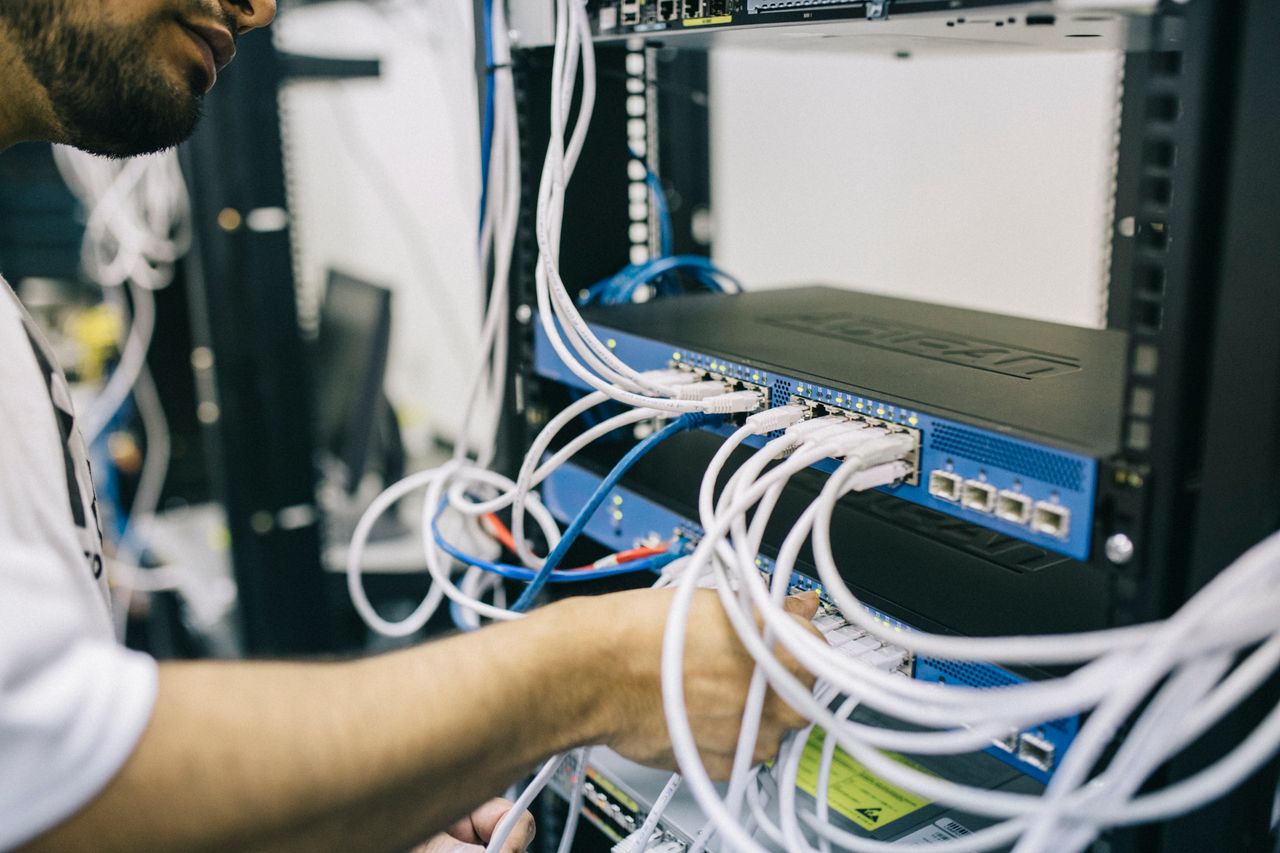
Illustrative network equipment and cabling; not identified as ZTN infrastructure
Connectivity with purpose

Why Choose ZTN?

A Connectivity Partner Focused on What Matters to Your Business.

The right connection is not simply the largest number in an advertisement. It is a considered match between the way people work, the applications they depend on, the location they occupy, and the conditions of an actual service. Explore the questions that can help make that choice more informed.

Start with your requirements, not assumptions
01 / A better starting point

Understanding the ZTN approach.

Choosing connectivity begins with understanding the work the connection must support. A home with several simultaneous streams has a different profile from a design practice sending large files, a retail location processing transactions, or a company linking several offices. Even organizations with similar headcounts can experience very different network demands. A useful conversation therefore begins with applications, people, devices, premises and priorities rather than treating an advertised speed as a complete answer.

Customer-focused evaluation asks where the connection will be used, what happens during the busiest hours, how much information must be uploaded, and which activities become difficult when connectivity is disrupted. It also considers whether the organization expects to add staff, move more work into cloud software, or open another location. These questions create a more practical basis for comparing service categories.

Technical and geographical feasibility belong in the discussion before a decision is made. A suitable service on paper may require an address-specific network check, building access, installation work or compatible equipment. ZTN's desired customer experience is one in which requirements and applicable options can be discussed clearly. This description is a service philosophy and decision-making guide, not a verified account of a fixed ZTN assessment procedure or a promise that a particular solution is available.

Start with operationsIdentify the workflows and applications that genuinely matter.
Confirm the practical detailsDiscuss location, feasibility and the specifications of any proposed service.
02 / The whole experience

Connectivity is more than an internet connection.

A working connection must carry real workloads through local equipment, access infrastructure and the wider internet. Each layer influences what users actually experience.

Performance and bandwidth

Bandwidth describes a connection's capacity, but the useful question is whether that capacity accommodates simultaneous activities. A large download, a cloud backup and several video meetings can compete for the same resources. Both upload and download demand should be considered at peak times.

Latency and jitter

Latency is delay; jitter is variation in that delay. A document download may tolerate both, while a voice call or interactive meeting can be noticeably affected. Distance, routing, congestion, wireless interference and remote application behavior may all contribute.

Consistency and continuity

An average result does not describe every hour of the day. An organization dependent on digital transactions may need to examine congestion, possible failure points and its own continuity plan. No connection should be assumed immune to faults merely because it uses a particular technology.

Equipment and security

Routers, switches, firewalls, cabling and Wi-Fi access points shape local performance. Security also depends on configuration, updates, access controls and the applications in use. An internet service is one component of a wider operational security approach.

Scalability

A connection selected for today's office may be reviewed when the team expands or more services move online. Planning should consider physical installation constraints and equipment capacity as well as whether different service options might be appropriate later.

Guidance and support

Clear fault descriptions and an understanding of the service boundary make troubleshooting more effective. Before selecting a provider, ask what support arrangements and responsibilities are actually included in the applicable service terms rather than assuming a particular channel or response time.

03 / Different people, different demands

Solutions for different customer requirements.

These profiles illustrate questions worth asking. They do not imply that every service category is offered at every address or that every customer type can receive identical specifications.

Residential connectivity

Households may share a connection across work, learning, entertainment and smart devices. The number of concurrent users often matters more than a simple device count. Video calls benefit from stable upload as well as download performance, while room layout and Wi-Fi coverage influence the experience inside the home.

Small business connectivity

A small business can rely heavily on one connection for email, payments, bookings, calls and cloud records. It may need to distinguish office Wi-Fi issues from access-line performance and consider what happens if a critical transaction cannot be completed. The right questions are operational, not only numerical.

Medium-sized businesses

As departments and connected devices multiply, simultaneous use becomes more significant. Shared files, conferencing, guest networks and central applications may call for better internal network design, clearer upload planning and a documented understanding of which activities take priority.

Corporate connectivity

Corporate offices may need to coordinate IT policies, application access, network segmentation and the needs of multiple teams. The connection should be evaluated alongside the organization's security design, equipment responsibilities and any requirements for predictable access to externally hosted systems.

Enterprise connectivity

Large organizations may need to consider network architecture, procurement requirements, diverse applications and future capacity. Design discussions can include routing, site interconnection, resilience concepts and defined operational responsibilities. Actual features depend on a proposed, technically feasible service.

Multi-location organizations

Branches can face different local infrastructure and building conditions. A headquarters connection cannot establish availability for every site. Each address should be evaluated individually, while the organization considers how applications, security policies and communications will work across locations.

04 / Explore the categories

Multiple connectivity options.

Technology names and service names answer different questions. Compare what each category is intended to address, then confirm the characteristics of a specific offering.

Fiber Internet

Fiber-optic connections transmit information as light through optical fiber. Their capacity makes fiber relevant to homes and workplaces using cloud software, streaming media, collaboration tools and frequent data transfers. Fiber describes an access technology, however, not a universal promise about upload rate, contention, installation time or availability. The optical route, termination, customer equipment and selected service specifications all matter. A building may be near fiber infrastructure yet still require an address-specific feasibility check.

Explore Fiber Internet

Business Internet

Business-focused connectivity is evaluated against working hours, shared applications and the consequences of disruption. A workplace might simultaneously run video meetings, a cloud accounting system, online transactions and customer communications. Upload demand, equipment, internal Wi-Fi and service terms deserve attention alongside download capacity. “Business internet” does not by itself establish a particular speed, support commitment or installation arrangement; those details must be checked for the actual offering.

Explore Business Internet

Dedicated Internet

Dedicated connectivity generally refers to a service with capacity committed under defined terms rather than an ordinary shared-access arrangement. Organizations may examine it when substantial simultaneous traffic, upload-heavy workflows, hosted systems or specific network requirements are important. Symmetric capacity and static IP addressing are common topics for discussion, not automatic features of every product. A dedicated access connection also cannot eliminate failures in local equipment, power, upstream systems or remote destinations.

Explore Dedicated Internet

Enterprise Solutions

Enterprise requirements can extend beyond an individual circuit. An organization may need to consider multiple locations, security boundaries, application traffic, network growth, equipment handoffs and continuity planning. The relevant design depends on the actual sites and technical scope; a multi-site project should not be reduced to a single headline bandwidth figure. Enterprise discussions should clarify what is being proposed, which responsibilities belong to each party and what remains subject to feasibility.

Explore Enterprise Solutions

The categories above are explanatory. Actual ZTN availability, specifications, included features and contractual conditions depend on the applicable offering and technical feasibility at the relevant location.

05 / Define the workload

Understanding your specific requirements.

Price and advertised speed are useful comparison points, but neither describes how an organization uses the internet. Start by counting active users and the devices they use at the same time. A person may have a laptop, phone and conferencing device, yet the importance of those devices depends on what each one does. Identify cloud software, video meetings, file transfers, website or application operations, online sales, and business-critical systems.

Separate upload from download. Download capacity helps people retrieve information; upload capacity matters when sending large files, publishing media, backing up data, sharing a live video feed or sending information to a hosted application. Examine the busiest hour rather than relying on a quiet-period test. Then consider hiring, new services, more connected equipment and future locations.

Imagine two businesses with twenty employees. A legal office may primarily exchange documents, use a cloud case-management application and hold occasional video meetings. A production studio with the same headcount may send large media files throughout the day while several editors review footage remotely. Equal staff counts do not imply equal traffic patterns, upload requirements or network design. Observed application use, not headcount alone, should guide the conversation.

Team discussing digital work requirements around a tablePlan around real work
06 / Location matters

Technical assessment and feasibility.

Availability cannot be confirmed from a service name or a broad coverage description alone. The exact premises and its practical connection path matter.

Address and existing infrastructure

The street address, building, unit and floor can affect the options. Nearby fiber does not necessarily mean a usable route into a particular premises. Existing ducts, building distribution, access rights and local network arrangements may need investigation.

Building access and installation

Installation may involve landlord or property-management approval, safe cable pathways, a suitable termination point and access at agreed times. Commercial premises can have shared telecommunications rooms or internal cabling requirements that differ from a standalone property.

Last mile and equipment

The last mile connects the premises to a wider access network. Its technology and condition influence feasibility. Compatible optical equipment, routers, switches, power and customer-side cabling should also be considered before drawing conclusions about the expected experience.

Usage and limitations

Technical feasibility is more than confirming that a line can reach a building. The proposed service should be considered against expected traffic, handoff arrangements and site-specific constraints. Some options may require additional work or may not be available at all.

A coverage page is a starting point, not confirmation of installation or activation at a particular address.

07 / Behind the connection

Understanding network infrastructure.

Internet access is a chain of interconnected systems. Knowing the basic roles makes service conversations clearer without requiring customers to become network engineers.

Fiber and access networks

Fiber carries optical signals over glass strands. An access network connects a home or workplace to a provider-facing network point. Depending on the design, an Optical Line Terminal, or OLT, may serve as a network-side endpoint, while an Optical Network Terminal, or ONT, terminates a compatible optical service at the premises. Not every service uses the same architecture.

Aggregation and core

Aggregation infrastructure collects traffic from multiple access connections for transport toward other parts of a network. Core networks connect major network locations and carry substantial traffic between them. Capacity and engineering choices in these layers can influence the end-to-end experience, alongside the access connection and the destination.

Routers, switches and routing

Switches connect devices within a local network; routers direct traffic between networks. Routing determines how information moves toward an online destination, though outward and return paths need not be identical. A well-performing access line cannot compensate for an overloaded office router, damaged cable or distant application server.

Redundancy and maintenance

Redundancy means introducing alternative components or paths for selected failures. The alternatives must be evaluated for shared risks: two links entering the same duct may fail together. Monitoring can reveal changes in utilization or device health, while maintenance involves appropriate inspection, updates and repairs. Neither concept is a guarantee against interruption.

These are general telecommunications concepts, not an inventory or topology of ZTN-owned facilities, equipment, routes or data centers.

08 / Understand the measures

A transparent approach to network performance.

Advertised bandwidth and real-world application performance are not identical measurements. The complete path includes the access service, local network, other networks and the remote application.

Bandwidth

Bandwidth expresses a link's nominal data-carrying capacity. It is not a measurement of how quickly every application will respond. Protocol overhead, concurrent users and limitations elsewhere in the path can reduce achieved throughput.

Download speed

Download describes data moving toward the user, such as opening a website or receiving a file. A test to a nearby server may differ from a transfer from a busy, distant service. Compare results only when the test conditions are understood.

Upload speed

Upload describes data leaving the premises. Video calls, cloud backups, sending media and hosted workflows depend on it. A service with ample download capacity may still feel constrained if simultaneous upload activity exceeds the available capacity.

Latency

Latency measures delay across a path, often as a round trip. Interactive applications can be sensitive to delay even when there is plenty of bandwidth. Distance, processing, queueing and the remote service all influence the result.

Jitter

Jitter is variation in packet delay. A voice or video call can sound uneven when packets arrive irregularly. A single average-speed result does not reveal this variation, so application symptoms can be as useful as a headline test result.

Packet loss

Packet loss occurs when data packets do not reach their destination. Congested queues, faulty links and wireless interference are possible causes. Some applications retransmit missing data; real-time speech may expose missing packets immediately.

Network congestion

When demand competes for limited capacity, traffic may queue or be discarded. Congestion can occur on a local Wi-Fi network, office uplink or another part of the route. Identify when and where it happens before attributing it to the access provider.

Wi-Fi performance

Walls, distance, interference, access-point placement and simultaneous devices affect wireless performance. A slow Wi-Fi test does not by itself establish that the external internet connection is slow. A suitable wired test can help separate the two.

Router limitations

A router has processing, interface and configuration limits. Features such as traffic inspection or VPN processing can alter its usable throughput. Equipment should be evaluated against the proposed service and the customer's internal network needs.

Device limitations

An older laptop, busy processor, limited network adapter or outdated software can constrain results. Compare multiple devices and test methods before treating one measurement as representative of every user or application.

Performance depends on the applicable service terms and test conditions. This page does not promise fixed speeds, zero latency or guaranteed uptime.

09 / Planning ahead

Scalability and future planning.

Connectivity requirements change with the organization. More employees bring more concurrent meetings, devices and application sessions. A new branch creates a separate installation and network-planning question. Moving files and tools into the cloud can shift traffic from an internal network onto the internet connection. Remote and hybrid working can change when demand peaks and how securely people access company resources.

Digital transformation also introduces less visible traffic. Automated backups, software updates, collaboration platforms, connected equipment and data-intensive reporting can run alongside ordinary user activity. An organization should consider not only today's observed peak but plausible changes over its planning horizon. That does not mean buying an arbitrary amount of unused capacity; it means understanding what can be reviewed if the workload changes.

A scalable plan identifies current constraints, the equipment that may need replacement, the conditions of any proposed service change and the lead time that might apply. Physical routes and building access can be harder to change than a software setting. Revisit requirements when the organization grows rather than assuming an existing connection will remain suitable indefinitely.

Colleagues working together in a modern officeBuild room for change
10 / Everyday dependence

Supporting modern business operations.

Different activities stress different parts of a network. Mapping those activities reveals more than a single speed requirement.

Cloud computing

Hosted tools move processing or storage outside the office. Users need access to the internet and the application provider, while authentication and internal security remain important. A slow response may originate at the device, local network, connection or cloud service.

Video conferencing

Meetings send and receive audio and video at the same time. Upload capacity, latency, jitter, Wi-Fi quality and the number of concurrent calls can all affect clarity. A quiet office test may not reflect a busy meeting period.

VoIP communication

Voice over IP transports calls as network traffic. It generally uses less bandwidth than large file transfers but is sensitive to delay, jitter and packet loss. Power, local equipment and the calling platform also form part of the calling experience.

E-commerce

An online shop may depend on cloud administration, product updates, customer messaging and third-party services. The website itself can be hosted elsewhere, so office internet is not necessarily the hosting connection; staff still need dependable access to operate the business.

Online payments

Payment workflows often require a terminal or application to communicate with an external processor. Security and provider rules remain essential, and operational continuity should consider what staff can do during a connection or third-party service interruption.

Point-of-sale systems

Retail terminals may rely on online catalogues, inventory, payment authorization or central reporting. A store should understand which functions require a live connection and whether any approved offline behavior exists within its own POS platform.

Remote collaboration

Distributed teams may exchange files, messages and live presentations throughout the day. The office connection, home connections, endpoint security and collaboration platform each influence the result. Good planning avoids assuming one network controls the entire experience.

SaaS applications

Software-as-a-service tools can support accounting, project management and customer workflows. Several modest applications used simultaneously may create a significant combined dependency on external connectivity and authentication systems.

File sharing

Small documents and large design assets place different demands on a connection. Large uploads can occupy capacity for extended periods, potentially affecting meetings or other work. Transfer timing and traffic management may be worth discussing.

Digital customer services

Appointments, support messages and customer portals can require staff to access live systems. Teams should identify which interactions are time-sensitive and document reasonable contingency steps when an external platform or connection is unavailable.

Websites and applications

Organizations operating public applications may have requirements for hosting, administration, remote access and monitoring. Hosting a service from the premises introduces different questions from accessing a service hosted elsewhere, including addressing, security and upload capacity.

11 / Better conversations

A connectivity partner that values clarity.

Clear communication helps turn technical language into a useful decision. A customer should be able to understand which service options are being considered, what each option is intended to solve and which details still require confirmation. Terms such as fiber, dedicated access, static IP and service-level agreement should not substitute for an explanation of the actual proposed specification.

Clarity also means discussing limitations. Installation might depend on building access, available routes or an address-specific assessment. A nominal bandwidth figure does not describe every application outcome. Equipment and internal Wi-Fi may be the customer's responsibility under some arrangements. Service terms should be reviewed for inclusions, exclusions and any relevant commitments before an order is placed.

This is the customer experience ZTN aims to frame on this page: an informed conversation about requirements and applicable options. It is not evidence of a verified internal workflow, standard installation timeline, universal service feature or contractual promise. Asking direct questions and obtaining the relevant service details is the responsible way to move from general information to a specific decision.

12 / When guidance matters

Customer support and technical guidance.

Connectivity problems are easier to investigate when their scope is understood. Is one device affected or the entire office? Is the issue present on a wired connection as well as Wi-Fi? Did it begin after a configuration change? Are particular applications affected while other websites work? These observations can help distinguish a local device, wireless network, router, access connection or remote-service problem.

Basic troubleshooting may include checking power and status indicators, recording the time of the issue, comparing devices and avoiding repeated changes that make the fault harder to reproduce. Equipment compatibility and router configuration deserve attention when a new service is installed or a network grows. More involved diagnostics and escalation should follow the arrangements applicable to the actual service rather than an assumed universal process.

Preventive thinking matters too. Keep appropriate equipment updated, document important configurations and consider how critical work continues during a disruption. The availability of particular support channels, hours, response times and responsibilities must be confirmed from the relevant ZTN service information; none is specified here.

Visit Technical Support
13 / A real address, a real assessment

Coverage and availability considerations.

Location has a direct effect on the connection options that may be technically feasible. Fiber network proximity is relevant, but proximity is not the same as a completed connection. Routes, ducts, poles, property boundaries and entry permissions can affect whether a nearby network can serve a particular building. Two neighboring premises may consequently have different installation possibilities.

Building type changes the discussion. A standalone home, shared office building, retail unit and multi-floor commercial property may each require different access arrangements. Internal cabling, telecommunications rooms, landlord permissions and safe equipment placement can be as important as the external route. Organizations with several sites should treat each address as a distinct assessment while planning how the sites will work together.

General coverage information helps identify a potential starting point. Confirmed availability requires checking the actual service location and relevant technical conditions. Even then, the specifications, installation conditions and timing of an applicable offer should be reviewed directly rather than inferred from a map or nearby connection.

Explore Coverage Areas
14 / Know what is included

Transparent expectations and informed decisions.

A sound purchasing decision depends on the specifications of the actual offer, not assumptions drawn from a category name.

Compare the service itself

Ask how advertised bandwidth is defined and what factors may affect achieved performance. Clarify whether capacity is shared or committed under the proposed arrangement and whether upload and download characteristics differ. If the organization needs static IP addressing, determine whether it is available and included. Review any service-level agreement as a specific contractual document: its measurement method, scope, exclusions and remedies matter more than the acronym alone.

Installation conditions may include access permissions, construction work, equipment placement and customer-side cabling. Establish which equipment is supplied, who manages it and where the service handoff sits. A connection can be technically capable yet still require local network improvements before users see the expected benefit.

Understand the boundaries

Contract terms should be read for duration, changes, cancellation, responsibilities and any applicable conditions. Geographic availability and site-specific technical limitations may prevent an option from being offered at a particular address. Where a specification has not been confirmed, treat it as a question to ask rather than a feature to assume.

Honest communication includes acknowledging uncertainty. No service category alone establishes guaranteed uptime, fixed application performance, installation timing or support response. The appropriate next step is to obtain and review the relevant ZTN information for the location and service being considered.

15 / An illustrative journey

How to start with ZTN.

The five steps below are a general illustration of an informed connectivity conversation, not a guaranteed or formally verified ZTN operational process.

01

Share Your Requirements

Describe your home, business or enterprise needs. Include the location, key applications, number of users and anything especially sensitive to interruption.

02

Discuss Suitable Solutions

Explore which connectivity categories could address the workload. Ask how each category differs and which details need further assessment.

03

Check Location Feasibility

Review the full service address, building conditions, existing infrastructure and relevant technical requirements before assuming an installation is possible.

04

Review the Service Details

Understand applicable specifications, terms, responsibilities, installation considerations and any limitations of a proposed service.

05

Proceed With the Next Steps

Contact ZTN to discuss the appropriate way forward once the requirements and available information are clear.

16 / Compare the concepts

Which ZTN service is right for you?

This is an educational comparison of service categories, not a specification sheet. The actual offering, location and proposed terms determine what can be supplied.

Consideration Fiber Internet Business Internet Dedicated Internet Enterprise Solutions
Typical use cases Everyday connected work, media and cloud access where optical access is suitable. Workplace applications, collaboration and online business operations. Organizations evaluating committed access characteristics for important workloads. Complex or multi-site organizational connectivity planning.
Customer requirements A suitable fiber route, premises connection and appropriate service specification. Understanding the working day, application mix and operational priorities. Clearly defined capacity, handoff and contractual requirements. Coordinated assessment of sites, systems, responsibilities and growth.
Bandwidth Choose an applicable offer according to simultaneous demand; fiber itself is not a speed guarantee. Consider peak workplace demand and the number of concurrent applications. Discuss the capacity characteristics defined by the proposed service. Assess capacity for each site and critical traffic path.
Upload Check the actual upload specification against calls and file transfers. Evaluate cloud backups, meetings and shared business systems. Discuss symmetric requirements where relevant; confirm any proposed feature. Account for centralized data, remote users and inter-site traffic.
Network planning Review installation route, optical termination and local networking. Consider routers, Wi-Fi, security and business continuity. Define handoff, addressing, equipment and service boundaries. Plan architecture, policy, site integration and responsibilities.
Scalability Reassess the offer and equipment as household or workplace demand grows. Review capacity as employees and applications increase. Discuss whether capacity changes are feasible under the applicable terms. Plan for locations, teams and evolving applications.
Technical considerations Fiber access feasibility and compatible premises equipment. Workload, internal network, service terms and support scope. Committed characteristics, static IP needs and contractual definitions. Multi-site feasibility, security boundaries and network design.
Availability Requires address and fiber-route assessment. Depends on the relevant location and offering. Requires specific technical and commercial assessment. Requires assessment of each location and proposed scope.

No prices, speeds, service levels or package inclusions are implied by this comparison. Review the applicable service details before deciding.

17 / Where the questions arise

Who may benefit from connectivity solutions?

These examples describe potential needs, not verified ZTN customers or confirmation that a particular service is available to every organization.

Startups

A startup may begin with a small team yet rely almost entirely on hosted tools. It should consider concurrent meetings, software deployments and how quickly its requirements may change as staff and customers are added.

Small businesses

A small team can still have critical dependencies on bookings, payments and customer communication. Its evaluation should identify essential workflows and distinguish local Wi-Fi coverage from the external connection.

Growing companies

Hiring, larger file volumes and new digital services can change the traffic profile. Growth planning should include available upload capacity, equipment limits and whether another service category may eventually be more suitable.

Corporate offices

Several departments may share cloud tools while following central security policies. Corporate planning often benefits from a clear service handoff, documented internal network design and an understanding of the applicable terms.

Educational organizations

Learning platforms, video lessons and administration systems can create highly variable demand. Device density, Wi-Fi design, safeguarding policies and busy periods deserve attention alongside the external connection.

Retail businesses

Retail locations may use payment terminals, inventory platforms, customer Wi-Fi and central reporting. Each shop has its own installation conditions, while the business should plan for the operational consequences of a disruption.

Professional services

Advisers, accountants and other practices may rely on calls, secure document exchange and cloud records. Upload demand, confidentiality practices and continuity planning can be particularly relevant.

Technology companies

Development teams may move code, build artifacts and data between local and hosted environments. Their requirements can depend on upload, remote collaboration, security architecture and the locations of the services they use.

Multi-location businesses

Branches may need consistent application access while facing different local infrastructure. Each address requires its own feasibility check, and the organization should consider how traffic and security policies work across sites.

Large organizations

Large teams may require coordinated planning across procurement, IT and operations. Service selection should reflect site-level demands, future capacity, defined responsibilities and the specifications of any proposed arrangement.

19 / Frequently asked questions

Questions worth asking before you connect.

These answers explain general concepts and how to evaluate options. They do not confirm a particular ZTN service, feature, process or address-specific availability.

Explore all FAQs
Why should I choose ZTN?

Start by considering whether the connectivity categories described here align with your requirements, then discuss an applicable option with ZTN. The useful comparison is not a slogan: it is the proposed service's suitability for your location, applications, equipment and budget, together with clearly understood terms. This page provides a framework for that conversation rather than an unsupported claim that ZTN is the best choice for every customer.

What makes a connectivity partner important?

Connectivity touches applications, premises infrastructure, local networking and everyday operations. A useful partner helps make the relevant questions understandable: what workload needs supporting, what can be installed, and which responsibilities and limitations apply. The value of any provider should be assessed against a specific proposal and the customer's priorities, not assumed from a general category description.

What internet solutions does ZTN cover?

ZTN's website presents Fiber Internet, Business Internet, Dedicated Internet and Enterprise Solutions as connectivity categories. Each page explores a different set of needs and technical considerations. The presence of a category on the site does not confirm that every feature or service is available at every location; check the applicable offering and feasibility directly.

Does ZTN provide fiber internet?

ZTN has a Fiber Internet service page discussing fiber connectivity. Whether a specific fiber service can be supplied at your premises depends on the location, available infrastructure and technical conditions. Request confirmation of the actual offer, its specifications and any installation requirements rather than treating nearby fiber as proof of availability.

What is the difference between fiber and business internet?

Fiber describes an optical access technology; business internet describes a service category considered in relation to workplace requirements. A business-oriented service may use fiber where feasible, but the terms are not interchangeable. Compare the actual access method, upload and download characteristics, included features, service terms and installation conditions of the proposed options.

What is dedicated internet?

Dedicated internet generally refers to access with capacity characteristics committed under defined service terms, rather than an ordinary shared-access arrangement. The exact meaning depends on the contract and network design. Ask what capacity is committed, where the commitment applies, how it is measured, and whether features such as symmetric capacity or static addressing are included.

When does a business need dedicated connectivity?

A business may investigate dedicated access when it has substantial concurrent demand, upload-heavy applications, important hosted systems or a need for clearly specified service characteristics. It is not automatically necessary for every business. Compare the operational value of the proposed specification with alternative services and the costs and terms actually offered.

What are enterprise connectivity solutions?

Enterprise solutions address broader organizational requirements that can include multiple sites, coordinated network design, security boundaries, growth planning and clearly defined responsibilities. The solution is not a single universal product. Each organization's applications, properties and technical constraints should shape the discussion, and every site may require its own feasibility check.

How can I determine my bandwidth requirements?

List the applications in use, how many people use them at once and what happens during the busiest period. Consider uploads separately from downloads, especially for calls, backups and large files. Examine current measurements where available and allow for plausible growth. A provider can discuss suitable categories, but no simple employee-to-bandwidth formula captures every workload.

What is the difference between bandwidth and speed?

Bandwidth usually describes nominal capacity, while achieved transfer speed or throughput describes how much data moves under particular conditions. A link with a high capacity can still deliver a slow application experience if the destination, Wi-Fi, device or another part of the route is constrained. Test methods and simultaneous traffic matter when interpreting results.

Why does latency matter?

Latency is the delay between sending information and receiving a response. Interactive tools, remote desktops, games and live conversations can be more sensitive to delay than a file download. Distance, routing, congestion, local networks and remote servers can all contribute, so an access service alone does not determine every latency result.

What is network jitter?

Jitter is variation in delay from one packet to the next. A call may become uneven when packets arrive irregularly even if its average bandwidth usage is low. Wi-Fi interference and congestion can contribute. Investigating jitter requires context about the device, time, application and network path rather than relying only on one speed test.

Why is packet loss important?

Packet loss means some transmitted data does not reach its destination. File-transfer applications may recover through retransmission, while live audio can expose gaps immediately. Loss can result from congestion, wireless interference, faulty equipment or physical problems. A useful diagnosis tries to identify where along the path it occurs.

How does fiber-optic connectivity work?

Fiber carries information using pulses of light through optical strands. Suitable equipment converts between electrical network signals and optical signals at the relevant points. The physical route, optical connections, access-network design and customer equipment all contribute to the end-to-end service. Fiber's technology does not itself establish a particular plan speed or installation outcome.

Can internet requirements change as a business grows?

Yes. More employees, connected devices, video calls, cloud applications and locations can increase demand or shift it toward upload. Review usage periodically and before major operational changes. A future upgrade may depend on available infrastructure, compatible equipment and the terms of the applicable service, so planning ahead is more useful than assuming unlimited scalability.

What should I check before selecting an ISP?

Identify your critical applications, peak usage, location and continuity needs. Ask about address-specific availability, upload and download specifications, installation conditions, equipment responsibilities, support arrangements and relevant contract terms. If an SLA or static IP is important, verify its inclusion in the actual proposal. Compare like-for-like details rather than marketing labels alone.

Does location affect service availability?

Yes. A service depends on accessible network infrastructure and a feasible path into the exact premises. Neighboring buildings can differ in ducts, permissions, internal wiring and available routes. A general coverage indication can guide an enquiry but should not be treated as confirmation that the requested service can be installed.

How can I check ZTN coverage?

Begin with Coverage Areas, then contact ZTN with the full address, including building, unit or floor where relevant. Describe the kind of connection and usage you are considering. The location and technical conditions need to be checked before availability or specifications can be confirmed.

Can multiple business locations require a different network design?

Yes. Different sites can have different access options, bandwidth demands and building constraints. An organization may also need consistent application access, security policies and a plan for inter-site traffic. Evaluate each premises separately while designing the wider operating model; one successful installation does not establish feasibility at another address.

What is a static IP address?

A static IP is an address intended to remain assigned under the applicable service arrangement rather than changing periodically. It may be relevant for some remote-access, hosted or network-control requirements. It is not automatically included with every internet service, and it does not replace appropriate authentication, firewall configuration or security practices.

What is a service-level agreement?

A service-level agreement, or SLA, sets out defined contractual service commitments and related conditions. Its value depends on the actual wording: what is measured, the measurement period, exclusions, reporting process and any stated remedy. Do not assume that a service category or the word “business” implies a particular SLA; review the relevant terms.

Does dedicated internet always guarantee zero downtime?

No. Dedicated capacity characteristics do not eliminate physical damage, power failures, equipment faults, configuration problems or issues beyond a service boundary. If continuity is critical, consider the complete system and discuss appropriate resilience arrangements. Any uptime commitment must come from the actual contract, not an assumption about the technology.

Why is network infrastructure important?

The access route, aggregation systems, routers, core transport and external interconnections collectively carry traffic toward its destination. Constraints or failures at different points can produce different symptoms. Understanding the layers helps customers ask useful questions and avoids attributing every application problem to the access line alone. The infrastructure guide explains these concepts further.

What should I do if I experience connectivity problems?

Record when the issue began, which devices and applications are affected and whether wired and wireless connections behave differently. Check obvious power and equipment indicators without altering unfamiliar optical cabling or important configurations. Review the guidance on the Technical Support page and use the support arrangements applicable to your service.

How can I contact ZTN?

Visit the Contact ZTN page to find the available contact route. It is helpful to share your complete service location, the number of users, important applications, upload needs and any timing or building considerations. A conversation can then focus on relevant options and what requires technical confirmation.

A clearer way forward

Let's Find the Right Connectivity Solution for Your Needs.

Whether you are exploring fiber internet, business connectivity, dedicated internet, or enterprise networking, start a conversation with ZTN to discuss your requirements.