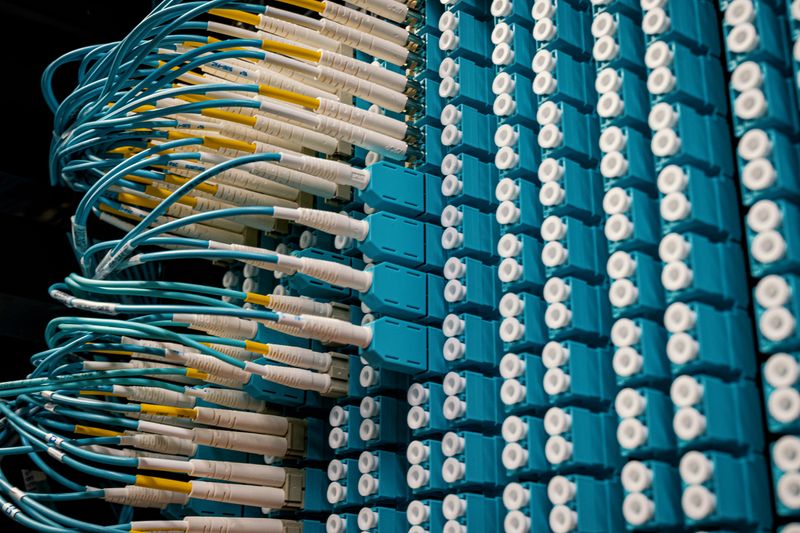
Illustrative communications racks and network cabling, not identified as ZTN equipment
Inside the connected world

Building the Foundation of Modern Network Connectivity

Behind every internet connection is a network of interconnected technologies, physical infrastructure, and routing systems. Explore the components that support modern telecommunications, from fiber-optic access networks to core routing and customer connectivity.

An educational guide to network systems
The essential layers

What is network infrastructure?

Telecommunications network infrastructure is the collection of physical facilities and logical systems that carry information between connected users and destinations. Cables, connectors, ducts, optical equipment, routers, switches and customer devices form its visible parts. Addressing, routing, protocols and configuration determine how traffic uses those parts. Neither the cable nor the software alone provides an end-to-end internet connection.

A typical journey begins at a home or workplace. A local router sends traffic through suitable customer premises equipment into an access network. Distribution or aggregation infrastructure can bring together connections from many premises; a core network transports that traffic toward other network locations and external connectivity. An online destination sends a response back through a path selected by the participating networks. The exact route can change, and outward and return traffic need not take identical paths.

Infrastructure planning considers expected demand, installation routes, power, equipment limits, maintenance access and room for growth. These questions matter to a household sharing a connection and to an organization running cloud applications across branches. An ISP's architecture varies with its access technology, geography, design, commercial arrangements and upstream connectivity. The diagrams below explain industry concepts, not a verified inventory or topology of ZTN assets.

Physical layerRoutes, fibers, terminations, equipment and premises connections.
Logical layerAddresses, routing policies and protocols that move data across networks.
Follow a request

How a telecommunications network works.

Scroll through this simplified educational representation from a user device to an online destination. It is not a verified ZTN network topology; an actual service may combine or omit layers and may use different access media.

Customer DevicesLaptops, phones, desktops and business systems.
RouterConnects the local network to an external network.
Premises EquipmentTerminates or hands off the access connection.
Access NetworkLinks premises to a provider-facing network point.
Aggregation NetworkCollects and forwards multiple access connections.
Core NetworkTransports traffic between major network points.
Upstream ConnectivityProvides routes toward external networks.
Internet DestinationsWebsites, applications and cloud platforms.

Simplified educational representation only. Arrows show a conceptual outward journey; responses travel back through interconnected networks. This does not show ZTN facilities, routes, equipment or commercial interconnections.

01 / Devices and router

Phones, workstations and connected equipment produce requests. The local router forwards packets toward the appropriate external gateway and often shares a connection among devices. Internal Wi-Fi quality can affect the experience before traffic even reaches the access line.

02 / Premises handoff

Customer premises equipment adapts a service's physical presentation to a usable interface. Depending on the access design, this could involve an optical terminal or another termination device. Its position, power and cabling are part of installation planning.

03 / Access and aggregation

The access network bridges the final physical distance from a premises. Aggregation can collect traffic from many access connections, making it possible to forward that traffic efficiently toward higher-capacity transport layers.

04 / Core transport

Core infrastructure carries traffic across a provider network between significant locations. Its role differs from last-mile access: it connects network regions and interconnection points rather than individually entering each customer property.

05 / External networks

Upstream arrangements and interconnections give traffic a path beyond a local provider network. External routers then continue forwarding packets according to their own routing information and policies.

06 / Destination and return

A website, application or cloud service processes a request and sends a response. Performance along this round trip reflects every relevant segment, including the destination's own capacity and the customer's internal network.

Illustrative optical cabling and communications connections, not identified as ZTN infrastructureLight as a transmission medium
Optical foundations

Fiber-optic technology.

Optical fiber is a thin strand of glass, or in some applications plastic, designed to guide light. A transmitter converts electrical data into an optical signal; a receiver detects the arriving light and reconstructs information. The central core carries the light, while surrounding cladding has different optical properties that help keep it guided. Protective coatings and cable construction protect the fragile strand during handling and installation.

Single-mode fiber has a small core and is commonly used for long-distance telecommunications links. Multimode fiber has a larger core and is often used over shorter distances in buildings or campuses. The choice depends on compatible optics, distance, design and budget—not simply on which term sounds faster.

Light weakens as it travels: attenuation is signal loss along the fiber, normally considered across the whole optical link. Dirty connectors, tight bends, damaged cable and poor splices can add loss. Connectors provide removable interfaces, while carefully prepared splices permanently join fiber ends. Distribution enclosures organize and protect these connections. An installation must respect bend limits, routing, labeling, environmental exposure and an appropriate optical-loss budget.

Fiber is widely used because it can carry substantial data over useful distances and is not susceptible to electromagnetic interference in the same way as metallic transmission media. Its benefits still depend on suitable equipment, workmanship and a feasible route to the premises.

Explore Fiber Internet
Educational optical fiber cross-section Concentric layers show the light-carrying core inside cladding, with coating and an outer protective cable jacket. Core · guided light Cladding · optical boundary Protective coating Outer cable protection
Simplified educational cross-section, not to scale. Fiber cable construction varies; this is not a drawing of a ZTN cable or installation.
Where the fiber ends

Common fiber network architectures.

These terms describe industry designs, not confirmed ZTN deployments or available products at a particular address. The final segment and building arrangement are as important as the name of the architecture.

FTTH · Fiber to the Home

Optical fiber extends to an individual residential premises, where suitable equipment terminates the connection. The route may pass through local distribution points and a building entry. FTTH describes the physical extent of fiber, not a guaranteed speed or a particular service specification.

FTTB · Fiber to the Building

Fiber reaches a shared building, after which occupants connect through an internal distribution arrangement. That internal segment could use different media or equipment. Riser access, building management and each unit's wiring influence whether a specific occupant can connect.

FTTC · Fiber to the Curb

Fiber reaches a street cabinet or nearby distribution point rather than continuing all the way into every premises. Another access technology may cover the remaining distance. That final segment influences achievable performance and installation feasibility.

FTTN · Fiber to the Node

Fiber reaches a neighborhood or local node, with another medium potentially used between the node and customer. The condition and length of that remaining segment can materially affect performance. A fiber-fed node is not equivalent to fiber termination inside the property.

PON · Passive Optical Network

A PON uses passive optical splitters in its distribution network to share a feeder fiber among multiple endpoints. An optical line terminal communicates with customer-side optical network terminals. Split ratio, optical budget and service profiles are design considerations; a passive distribution section still relies on powered equipment at its ends.

GPON

Gigabit-capable Passive Optical Network is a standardized PON family that supports shared optical access. Traffic is coordinated between an OLT and multiple ONTs. Its name describes the technology family, not a guaranteed speed for an individual user or a statement about a particular provider's installation.

XGS-PON

10-Gigabit-capable symmetric PON is a standardized access technology with a nominal 10-gigabit-class rate in each direction at the shared PON interface. An individual service depends on provisioning, sharing, equipment and the rest of the network; the standard's name does not promise that throughput to every user.

Architecture is not availability

A technology description cannot establish whether a cable route, usable distribution point, building permission or compatible handoff exists at an address. For location-specific questions, review Coverage Areas and discuss feasibility.

Transport between network locations

Core network infrastructure.

The core is the high-capacity transport and routing layer connecting significant network locations and external interconnection points. While access infrastructure reaches individual customers, core infrastructure moves aggregated traffic across broader parts of a network. Aggregation equipment can sit between these layers, collecting traffic before it enters core transport.

Core routers forward packets using routing information and policy. Engineers evaluate link capacity, path selection, segmentation and the effect of traffic peaks. Traffic engineering means influencing how traffic uses available paths within technical and operational constraints; it is not a guarantee that every destination will take a particular route. Network segmentation separates traffic or management functions where the design calls for distinct boundaries.

Alternate paths and redundant devices may reduce certain failure risks when they are independently designed and maintained. A diagram showing two logical links cannot prove that the links use distinct physical routes. The appropriate design varies by geography, available facilities, demand and upstream arrangements. No router model, topology, throughput or redundancy configuration is asserted here for ZTN.

Illustrative network equipment racks, not identified as ZTN core facilitiesAccess → aggregation → core ↗
The route to the premises

Access network infrastructure.

The access network provides the customer-facing, often last-mile portion of a connection. An available core route in a region does not mean that a practical access route exists to every building.

From distribution to the door

Fiber access may pass through distribution hubs, splice enclosures, optical splitters, cabinets or other suitable points before reaching a property. A splitter in a passive optical design divides optical signals without powered switching at that distribution point. Cabinets and hubs protect and organize terminations; their exact role varies by network architecture. The customer connection then needs a feasible path to an entry point and a suitable place to terminate.

Residential installations may need a route through a garden, wall or shared apartment space. Business access may require coordination with a landlord, equipment room or structured cabling system. In both cases, the last physical steps can be more complex than a line drawn between two locations.

Feasibility is address-specific

Physical route availability, duct condition, pole permissions, property boundaries, building entry, internal wiring and nearby network capacity all matter. A distribution point can be near two buildings while only one has a currently workable pathway. Existing fiber in the street does not automatically mean it can be accessed or used for a requested service.

Service discussions should distinguish a general indication of area coverage from building-level availability, installation feasibility and eventual activation. For a specific premises, share its full address, unit or floor and the service required.

Explore Coverage Areas
The equipment vocabulary

Routers, switches and network equipment.

Different devices have different jobs. These descriptions explain general functions; they do not identify the models, brands or inventory used by ZTN.

Routers

Routers forward IP packets between networks. They inspect destination addresses and consult routing tables to select a next hop. A household router may also provide local addressing, network address translation and a Wi-Fi access point, although these are distinct functions.

Network switches

Switches connect devices on a local network and typically forward Ethernet frames using learned link-layer addresses. They can separate traffic with appropriate configuration. A switch connecting office workstations is not the same thing as a router selecting a route toward the internet.

Core routers

Core routers perform routing within or between larger network domains and are selected for the needs of the particular design. They can carry aggregated traffic across significant network locations. Their actual capacity depends on hardware, interfaces, configuration and workload.

Aggregation switches

Aggregation equipment collects links or traffic from access points and forwards it toward transport or core infrastructure. Its job may include interface concentration and traffic separation. The exact boundary between aggregation and core differs among networks.

Firewalls

Firewalls apply rules to traffic crossing a security boundary. They may allow, deny or inspect connections based on policy. Their effectiveness depends on correct design, configuration, updates and maintenance—not merely on installing a box.

Wireless access points

Access points provide radio connectivity for nearby devices and connect that wireless segment to a wired network. Coverage, interference, placement, device capability and backhaul all affect the user's experience. Wi-Fi performance should not be confused with the external access line's capacity.

Optical line terminals

An OLT is the network-side active device in certain passive optical access designs. It communicates with multiple customer-side optical terminals over a distribution network. OLTs are specific to such architectures, not a universal component of every fiber connection.

Optical network terminals

An ONT terminates a compatible optical access connection at or near the customer's location and presents a suitable handoff. It needs the correct service design and compatible network-side equipment. Its location and power need consideration during installation.

Media converters

A media converter adapts one physical transmission interface to another, commonly optical fiber to an electrical Ethernet interface. Conversion of the medium is not the same as changing an application's traffic or guaranteeing improved throughput.

Network transceivers

Transceivers send and receive signals through optical or electrical interfaces. Optical modules must match the intended fiber type, wavelength, reach and equipment compatibility. Connector cleanliness and the link's optical budget remain important even with suitable modules.

Finding the next hop

Network routing and IP connectivity.

Internet Protocol gives packets addresses so networks can forward them toward destinations. Routing is a sequence of local next-hop decisions, rather than a single device drawing a complete journey across the internet.

IPv4 and IPv6

IPv4 uses 32-bit addresses; IPv6 uses 128-bit addresses and supports a much larger address space. Devices and services may support one or both. An address identifies a network interface in a particular routing context, while a subnet groups addresses according to a prefix.

Public, private and local addresses

Publicly routable addresses can be reached through appropriate internet routes. Private IPv4 addresses are used within local networks and are not directly routed on the public internet. Network Address Translation, or NAT, can map many internal connections through an outward-facing address. IPv6 designs may use globally routable addresses while still controlling access through firewalls.

Default gateways and tables

A device sends traffic for destinations outside its local subnet to a default gateway. Routers compare the destination address with entries in a routing table, often choosing the most specific matching prefix. The chosen entry identifies an outgoing interface or next hop, subject to the router's policy and current routes.

Static and dynamic routing

A static route is configured explicitly and is useful where a path is simple and predictable. Dynamic routing protocols exchange reachability information so networks can adapt to changes. Neither method alone ensures a physically independent backup path.

Autonomous Systems and BGP

An Autonomous System is a network or group of networks under a common routing policy, identified by an AS number for interdomain routing. Border Gateway Protocol exchanges route information between such systems. BGP path selection reflects policy and available routes; it does not measure the fastest website response on its own.

Peering and upstream transit

Peering exchanges traffic between networks under an interconnection arrangement. Upstream transit provides access toward destinations beyond a network's own direct interconnections. The commercial and technical arrangements differ by provider. This page does not claim that ZTN owns an AS, holds public allocations, runs BGP infrastructure or directly peers.

From request to response

Network transmission and data flow.

A webpage can appear in moments, yet many distinct protocols and forwarding decisions participate in the exchange. The sequence below is simplified educational guidance, not a packet capture from a ZTN connection.

Device creates a requestRouter forwards packetsNetworks route toward a websiteWebsite sends a response back

Simplified educational representation. The return path may differ from the outbound route; names and addresses may be resolved or cached at different points.

Packets, frames and encapsulation

Applications hand data to transport and network protocols. IP carries packets with source and destination addressing. On a local Ethernet segment, frames carry those packets across the link. Encapsulation places one protocol's data inside another's format; each hop may use a different link-layer frame even while forwarding the same IP conversation.

TCP and UDP

TCP provides an ordered, reliable byte stream with retransmission and congestion control. UDP offers a simpler datagram transport that applications can use when they manage timing or reliability differently. Modern applications choose protocols according to their needs; neither is inherently a guarantee of low latency.

DNS and DHCP

DNS helps translate a domain name into addressing information used to reach a service. DHCP can provide local devices with network configuration such as an IP address, gateway and resolver details. A DNS lookup and the subsequent website connection are distinct exchanges.

ICMP, MTU and forwarding

ICMP conveys certain network status and diagnostic information. Maximum Transmission Unit, or MTU, describes the largest packet size a particular link can carry without additional handling. Routers forward packets hop by hop; oversized traffic or filtering can create problems when path MTU behavior is not handled correctly.

End-to-end communication depends on the sender, local network, access connection, intermediate networks and remote service. Troubleshooting should identify which layer is affected before treating every slow website as an access-network fault.

Plan for real demand

Network capacity and bandwidth planning.

Capacity planning asks whether relevant links and equipment can support expected traffic, including busy periods and future growth. A nominal access speed is only one part of that assessment.

Users and applicationsPeak upload and download demandMeasured utilization and throughputExpansion or traffic management

Simplified capacity-planning illustration; no ZTN capacity or subscriber figures are represented.

Bandwidth versus delivered throughput

Bandwidth is a link's nominal data-carrying capacity; throughput is the data actually transferred over a period. Protocol overhead, contention, equipment limits and distant endpoints can make achieved throughput lower than a nominal rate. Measurements are meaningful only when the test method, endpoint and conditions are understood.

Peak traffic matters because many users are active at once. Video calls, backups and cloud uploads may produce different directional demand from browsing or downloads. Aggregating many connections improves resource use but requires an assessment of concurrent use and acceptable performance under load.

Utilization and growth

Engineers watch utilization over time rather than relying only on a quiet-period snapshot. Sustained congestion can increase delay and reduce throughput when offered traffic exceeds usable capacity. Expansion may involve adding capacity, changing equipment, adjusting paths or improving the access arrangement; the appropriate response depends on the bottleneck.

Future planning includes new users, changing application behavior and growth across network segments. Capacity must be considered from the premises through relevant aggregation and external connectivity, without inventing a provider's private capacity figures.

Measure the experience

Network performance and quality.

No single measurement describes every application. Compare observations across the local network, access link, intermediate paths and destination before drawing conclusions.

Latency

Latency describes delay. Round-trip time measures the interval from sending a probe or request to receiving a reply. Distance, equipment processing, queueing and the remote endpoint all contribute; low access-link delay cannot eliminate delay elsewhere.

Jitter

Jitter is variation in packet delay. Real-time calls can be affected when packets arrive irregularly, even if average latency seems reasonable. Wireless interference and congestion are among the possible contributors.

Packet loss

Packet loss occurs when sent packets fail to arrive. Congested queues, faulty links, signal problems and device issues are possible causes. Applications may retransmit lost data or compensate differently, so symptoms vary by workload.

Throughput

Throughput is the achieved rate of useful data transfer under particular conditions. It depends on the server, protocol, device, Wi-Fi, access line and intervening networks. A single test cannot characterize all destinations and times.

Availability

Availability describes the proportion of a defined period during which a specified service boundary is operational. Meaningful measurement requires a clear definition of the service, observation method and exclusions. This explanation is not a ZTN uptime commitment.

Congestion

Congestion occurs when demand challenges usable capacity. Queues may grow, delay may rise and traffic may be dropped. It can occur on a local Wi-Fi network, an access link, a shared intermediate segment or at a remote service.

Optical signal loss

Fiber attenuation, connectors, bends and splices contribute to link loss. An optical signal outside the equipment's supported budget can cause errors or link failure. Testing and appropriate workmanship help distinguish optical faults from routing issues.

Routing performance

Network policies and available paths affect which intermediate networks traffic crosses. A distant or overloaded destination can remain slow even when a local connection operates normally. End-to-end performance belongs to the full path, not just the last mile.

Designing for failure

Network redundancy and resilience.

Resilience reduces the impact of selected failures through careful design, testing and operations. A redundant component is not necessarily a redundant physical route.

Equipment and link redundancy

Additional routers, interfaces or links can offer another way to carry traffic if a component fails. Link aggregation may combine compatible links for capacity or resilience, depending on configuration. Failover needs appropriate detection and a working alternative path; two devices drawing power from the same single supply remain exposed to that supply's failure.

Physical route diversity

Dual access connections are not necessarily diverse. Two services that share one underground duct, pole line, building entry or cable section can fail together after a physical incident. Genuine route diversity requires examining the actual physical paths, not merely the number of contracts or ports.

Power, detection and recovery

Backup power can address some interruptions when sized, maintained and integrated appropriately. Monitoring and fault detection help teams identify abnormal behavior; disaster recovery planning addresses response and restoration priorities. These practices cannot prevent every outage or replace site-specific risk assessment.

Test the assumptions

Assess common points of failure across equipment, routes, power, premises and external dependencies. Document what will switch over, under what conditions and what remains vulnerable. No specific ZTN redundancy design, fault response or uptime guarantee is claimed here.

Defense is layered

Network security infrastructure.

Security combines technology, configuration, operational practice and continuous review. No single appliance or setting secures an entire network.

Boundaries and segmentation

Perimeter firewalls and traffic-filtering policies can control flows across a network boundary. Network segmentation separates groups of systems so that access can be tailored to their role. Access control lists apply explicit permit or deny rules; the effectiveness of each control depends on accurate policy and maintenance.

Secure administration

Management interfaces should be limited to authorized operators using appropriate access controls and protected channels. Firmware updates address known defects when carefully assessed and deployed. Configuration management helps operators understand changes and restore intended settings after errors.

Remote access and traffic risks

VPN gateways can provide encrypted access between approved endpoints when configured appropriately. DDoS protection is a collection of detection and mitigation concepts for unusually large or disruptive traffic; mitigation capability varies by architecture and arrangement. Neither term implies a service is included in a connectivity product.

Visibility and physical protection

Logs, monitoring and traffic analysis can reveal anomalies, but their usefulness depends on retention, interpretation and response. Secure routing practices help reduce misconfiguration and unwanted route propagation. Cabinets, cable routes and equipment rooms also need appropriate physical protection.

These are general industry practices, not a statement that ZTN supplies managed firewalls, VPNs, DDoS mitigation or any particular security platform. Discuss required security responsibilities and the written service scope for a proposed connection.

Illustrative communications cabling used to explain fiber installation, not identified as a ZTN routeThe physical path matters
Below, above and inside

Underground and aerial fiber infrastructure.

Underground fiber may run through ducts or conduits with access through manholes and handholes. Protected routes can reduce some environmental exposures, but construction, blocked ducts, excavation damage and access permissions can complicate installation and repairs. The available route is more important than a straight-line map distance.

Aerial fiber may be supported by poles and attachment hardware. It can avoid certain excavation work, yet it must account for permitted attachments, clearances, loading, weather, vegetation and maintenance access. Neither underground nor aerial construction is inherently suitable for every location.

Building fiber needs an approved entry point and, where relevant, risers or internal conduits to reach a unit. Distribution enclosures provide organized points for connecting or branching cables. Splicing joins fibers with careful alignment, while termination makes a suitable interface for equipment. Cleanliness, bend control, labeling and testing help protect optical performance.

Each deployment method has cost, maintenance and physical constraints. This comparison describes general practice and does not identify any ZTN-owned route or chosen construction method.

Keep the network observable

Network monitoring and maintenance.

Telecommunications infrastructure changes as demand grows, equipment ages and physical conditions shift. Monitoring helps identify problems; maintenance and incident response address the underlying cause.

Device and interface health

Operators can inspect whether devices are reachable, interfaces are up and hardware reports abnormal conditions. Interface errors and drops may indicate a faulty link, congestion or configuration issue. A single alert needs context before the cause is known.

Traffic and capacity

Utilization trends show how a link behaves during quiet and peak periods. Traffic analysis can help separate ordinary growth from unexpected demand. These observations inform capacity planning but should be interpreted alongside customer experience and application behavior.

Optical and physical faults

Optical measurements can indicate whether a fiber link has excessive loss or an unstable signal. A cable cut, damaged connector or failed transceiver can each require different diagnostics. Physical access to an affected route may be necessary for repair.

Configuration and response

Maintaining accurate configurations, change records and equipment information supports troubleshooting and preventive work. Incident response prioritizes identifying scope, isolating the fault and verifying restoration. This section does not assert a ZTN monitoring tool, operating procedure or round-the-clock monitoring commitment.

Built around the workload

Infrastructure for business and enterprise.

A small office may prioritize stable video meetings, cloud applications and online transactions. A headquarters may need greater concurrent capacity and coordinated internal switching. Multi-branch organizations must assess each address separately before planning how locations communicate. Industrial premises can have long internal routes and specialized installation constraints; data-intensive operations may place particular emphasis on upload demand and sustained throughput.

Educational campuses, retail networks and professional-service offices may connect many devices with different security and performance needs. Cloud-connected businesses and remote workforce environments also depend on external destinations beyond the local access line. Internal LAN design, Wi-Fi placement, routing, segmentation and equipment handoff can matter as much as external bandwidth.

Start with users, applications, upload and download patterns, tolerance for interruptions, premises access and growth expectations. Then discuss what access and service options may be feasible at each site. Explore Business Internet , Dedicated Internet or Enterprise Solutions for relevant service discussions; the appropriate scope requires confirmation.

Illustrative workplace collaboration showing the people supported by business connectivityPlan for each site ↗
Looking beyond today's designs

Network infrastructure and future technologies.

Telecommunications technology continues to evolve. The developments below describe broader industry directions, not announced ZTN deployments, roadmaps or offerings.

Higher-capacity optical access

XGS-PON expands the range of standardized passive optical access designs. Industry work on 25G and 50G PON concepts explores higher-capacity shared optical access. An operator still needs compatible endpoints, optical budgets, aggregation capacity and a viable commercial reason to deploy a technology.

Modern optical transmission

Improved optics, transmission techniques and network equipment can increase the useful capacity of suitable fiber routes. The physical fiber remains only one part of the system: terminal equipment, loss budgets, power and transport design must fit together.

IPv6 and programmable networks

IPv6 adoption helps support growing addressing needs. Software-defined networking separates or centralizes certain control decisions from packet forwarding in some designs; automation can make consistent configuration and change validation easier. These techniques require careful testing and operational oversight.

AI, cloud and edge

AI-assisted analysis may help identify anomalies in monitoring data, but its suggestions require validation. Cloud networking extends organizational connectivity into hosted environments. Edge computing places some processing closer to users or devices, changing where capacity and latency need to be evaluated.

Mobile-network backhaul

5G radio sites need connectivity to the wider network; optical transport is one possible backhaul method. Radio coverage and backhaul capacity solve different problems, and an advanced mobile radio does not remove the need for suitable transport infrastructure.

What remains constant

New standards do not eliminate the basics: workable routes, installation permissions, compatible equipment, measured demand, secure operations and maintenance access. Future-ready planning should distinguish a published standard from an actually available service at an address.

The address changes the answer

How infrastructure affects internet availability.

Network availability at a premises depends on more than whether fiber exists nearby. The local access route and installation conditions often determine which options can be considered.

Local and last-mile conditions

Two nearby buildings may connect to different distribution points, have different ducts or require different permissions. One may have an accessible entry and usable internal wiring; the other may require a new pathway or landlord approval. The condition of existing cable and equipment can also affect an installation or a live connection.

Customer premises equipment, internal wiring and Wi-Fi determine how a usable service reaches actual devices. A sound external network cannot compensate for every problem inside the property. Conversely, a good internal LAN cannot make an unavailable access route appear.

Beyond the building

Usable network capacity, routing and upstream connectivity influence the options that can be delivered and the performance users experience. Local maintenance or a fault can temporarily change conditions even where infrastructure is otherwise present. A meaningful availability assessment considers the exact address, requested service and current technical circumstances.

Area-level information is a starting point, not confirmation of feasibility or activation. Include a unit or floor and describe the intended use when discussing an address.

Check Coverage Areas
A more informed conversation

Why infrastructure matters for ZTN connectivity.

Understanding the technology behind a connection helps make service discussions more precise. It also helps distinguish a desired outcome from a technically confirmed offer.

Discuss the actual need

Start with the premises, users and applications. A residential connection, a cloud-dependent office and a multi-location organization can raise different questions about access, internal networking, upload demand and resilience.

Keep feasibility in view

Routes, property entry, equipment handoff and capacity should be understood before assuming that a particular technology can be installed. Clear technical communication can separate what is known from what still needs an address-specific assessment.

Think beyond headline speed

Latency, throughput, local Wi-Fi, external destinations and the practical service boundary all influence experience. An infrastructure-aware discussion considers these factors without implying a performance promise that has not been specified.

Plan for change

Scalable planning considers how user counts and workloads might grow. Business requirements may also call for documenting routing, access and responsibilities in a proposed service scope. No ZTN network size, owned routes, facilities or hardware inventory is asserted by this educational guide.

When something needs attention

Technical support and network connectivity.

Useful troubleshooting begins by identifying the scope of a problem. Check whether one device or multiple devices are affected, whether the router and premises equipment have power, and whether a wired connection behaves differently from Wi-Fi. Note the time, symptoms and any changes to equipment or internal wiring. These observations can help distinguish a local configuration issue from an external connection fault.

Fiber connection issues may involve the optical termination, a connector or the physical route; avoid handling fragile optical connections without appropriate guidance. Performance concerns call for context: which application, destination, device and time are affected? Installation questions can involve equipment placement, building access or the handoff point. Fault reporting and technical diagnostics work best when relevant details are shared without assuming a cause.

Maintenance considerations can include software changes, cabling condition and network capacity. The support process and applicable commitments depend on the actual service arrangement; this page does not specify support hours, phone numbers or response times.

Visit Technical Support
Network infrastructure FAQs

Technical questions, clearly answered.

These answers describe general telecommunications concepts. They do not verify a ZTN network design, deployment, service feature or availability at an individual address.

Explore all FAQs
What is network infrastructure?

It is the physical and logical system that supports communication between devices and networks. Physical elements include cables, equipment, premises connections and routes; logical elements include addressing, protocols, routing and configuration. A working connection requires these elements to operate together.

How does an ISP network work?

A customer's traffic enters through an access connection, may be collected in an aggregation layer and is transported through routing infrastructure toward external networks. The destination sends data back through interconnected networks. Actual ISP designs vary by geography, access technology and upstream arrangements.

What is the difference between a core network and an access network?

The access network reaches customers and includes the last-mile connection to a premises. The core network transports aggregated traffic between significant network locations and interconnections. Some designs include a distribution or aggregation layer between the two.

What is fiber-optic technology?

Fiber-optic technology sends information as light through a thin optical strand. The fiber core guides light with the help of surrounding cladding; transmitters and receivers convert between electrical data and optical signals. Fiber's usefulness depends on compatible equipment and a properly installed link.

How does fiber transmit data?

An optical transmitter varies a light signal to encode information. Light travels through the fiber's guided path to a receiver that detects the signal and recovers the data. Attenuation, connectors, bends and splices influence how much signal reaches the other end.

What is FTTH?

Fiber to the Home describes an access design in which optical fiber extends to an individual residential premises. Suitable equipment terminates the connection there. The name identifies the physical architecture; it does not by itself confirm availability or a specific speed.

What is FTTB?

Fiber to the Building means fiber reaches a shared building, with an internal arrangement providing connections to occupants. That remaining distribution segment and any necessary permissions can differ between properties. Fiber at the building does not automatically connect every unit.

What is FTTN?

Fiber to the Node brings optical fiber to a neighborhood or local node. Another access medium may carry the remaining connection to a customer. Performance can be influenced by the type, length and condition of that final segment.

What is a Passive Optical Network?

A PON is an optical access architecture that uses passive splitters in its distribution portion to share a feeder among multiple customer endpoints. Active equipment at the network and customer ends manages communication. Its capacity and reach depend on the specific standard and design.

What is GPON?

GPON stands for Gigabit-capable Passive Optical Network. It is a standardized family for shared optical access involving an optical line terminal and customer-side optical network terminals. A technology's aggregate capability should not be confused with guaranteed individual throughput.

What is XGS-PON?

XGS-PON is a standardized 10-gigabit-class symmetric passive optical network technology. Its shared interface supports nominal capacity in both directions, but actual customer performance depends on provisioning, sharing, equipment and other network segments.

What is an OLT?

An optical line terminal is network-side active equipment in certain passive optical networks. It coordinates optical communication with multiple customer-side terminals over a distribution network. Not every fiber access design uses an OLT.

What is an ONT?

An optical network terminal is customer-side equipment used to terminate a compatible optical access connection and present a usable network handoff. The device needs power and must match the relevant network architecture and service configuration.

What is a fiber distribution point?

It is a location or enclosure where optical cables can be organized, joined, split or connected toward further access routes, depending on the design. Its existence near a property does not prove a usable route or available service to that property.

What is last-mile connectivity?

It is the final access portion between a local network point and a customer's premises. It may involve street pathways, building entry and internal wiring. The practical path, permissions and condition of this segment often determine installation feasibility.

What is a core router?

A core router forwards traffic across significant portions of a larger network using routing information and policy. Its job is to interconnect network locations and carry aggregated traffic, rather than act as the Wi-Fi router inside an individual home.

What is the difference between a router and a switch?

A router forwards IP packets between networks based on destination addresses and routing information. A conventional Ethernet switch connects devices within a local network and forwards frames using link-layer information. Some equipment combines several functions in one device.

What is network aggregation?

Aggregation collects traffic or links from multiple access connections and forwards them toward transport or core infrastructure. It can simplify network organization and concentrate demand, but aggregate capacity must still be planned for busy periods.

What is BGP?

Border Gateway Protocol exchanges routing information between Autonomous Systems. It helps networks announce reachable address ranges and select paths according to policy. BGP does not establish that a particular provider operates its own AS or peers directly.

What is internet peering?

Peering is an arrangement under which networks exchange traffic directly at an interconnection, subject to their technical and commercial terms. It differs from purchasing upstream transit for broader reachability. An ISP may use different arrangements depending on its architecture.

What is an Autonomous System?

An Autonomous System is a network or group of networks operated under a common interdomain routing policy and identified by an AS number. Such systems exchange route information with other systems. This definition makes no claim about ZTN's routing arrangements.

What is the difference between IPv4 and IPv6?

IPv4 uses 32-bit addressing and IPv6 uses 128-bit addressing, providing a much larger address space. Their address formats and some network behaviors differ. Supporting either protocol on a device does not automatically mean every destination or service is available over it.

What is network latency?

Latency is the delay involved in sending information across a path. Round-trip time measures the time for a request or probe to reach a destination and return. Distance, queueing, processing, local Wi-Fi and the destination can all influence it.

What is jitter?

Jitter is variation in the delay experienced by packets. Irregular arrival can disrupt time-sensitive applications such as voice and video, even when average delay looks acceptable. Congestion and wireless conditions are among its possible causes.

What causes packet loss?

Packets can be lost because of congested queues, faulty interfaces, damaged physical links, wireless interference or other failures. Different applications react differently: some retransmit data, while real-time applications may reveal gaps immediately. Diagnosis requires identifying where loss occurs.

What is network redundancy?

Redundancy introduces alternative components or paths so selected failures need not stop a service. Examples include additional equipment, links or power arrangements. The alternatives must be assessed for shared dependencies; two links in one duct can fail together.

What is fiber attenuation?

Attenuation is the reduction in optical signal power as light travels along a fiber link. Distance contributes to loss, and connectors, splices or bends can add further loss. The complete link must stay within the compatible equipment's optical budget.

What is network monitoring?

Monitoring observes indicators such as link state, interface errors, utilization, device health and optical levels. It helps identify changes and potential faults, but alerts require interpretation and an appropriate response. Monitoring alone cannot repair damaged infrastructure.

What is the difference between underground and aerial fiber?

Underground fiber uses routes such as ducts and conduits; aerial fiber is supported on poles and associated hardware. Each faces different permissions, construction requirements, environmental risks and maintenance constraints. The suitable approach depends on the location and available infrastructure.

How does network infrastructure affect internet speed?

Access technology, available capacity, equipment, congestion, routing, local Wi-Fi and the remote destination all affect achieved throughput. A high nominal access rate is not a promise that every application will transfer data at that rate. Test conditions and the whole path matter.

Why can internet availability differ between nearby buildings?

Neighboring buildings may have different ducts, cable routes, distribution access, permissions, entry points or internal wiring. One connection can be feasible while another needs construction or cannot use a nearby route. Exact-address assessment is therefore more useful than proximity alone.

What is the difference between bandwidth and throughput?

Bandwidth describes nominal link capacity, while throughput measures the data actually transferred under specific conditions. Protocol overhead, competition for resources, endpoints and device performance can reduce achieved throughput. Measurements should include the test method and time.

How does an ISP connect to the wider internet?

An ISP can arrange connectivity with external networks through upstream transit and, where appropriate, other interconnections. Routers use routing information to forward traffic toward reachable destinations. The precise arrangements vary and are not established by this educational page.

Why is network capacity planning important?

Demand changes with user count, applications and peak usage. Planning compares expected and observed traffic with the capacity of relevant links and equipment, then considers expansion before sustained congestion degrades experience. It must include upload as well as download needs.

How can I check ZTN connectivity availability?

Begin with Coverage Areas, then use Contact Us to discuss the complete installation address, unit or floor and required service. General coverage is not confirmation of an installable connection or activation.

From understanding to action

Understand the Network Behind Your Connectivity.

Modern internet connectivity depends on carefully designed infrastructure, access technology, and network systems. Explore ZTN's connectivity services or contact the team to discuss your technical requirements.