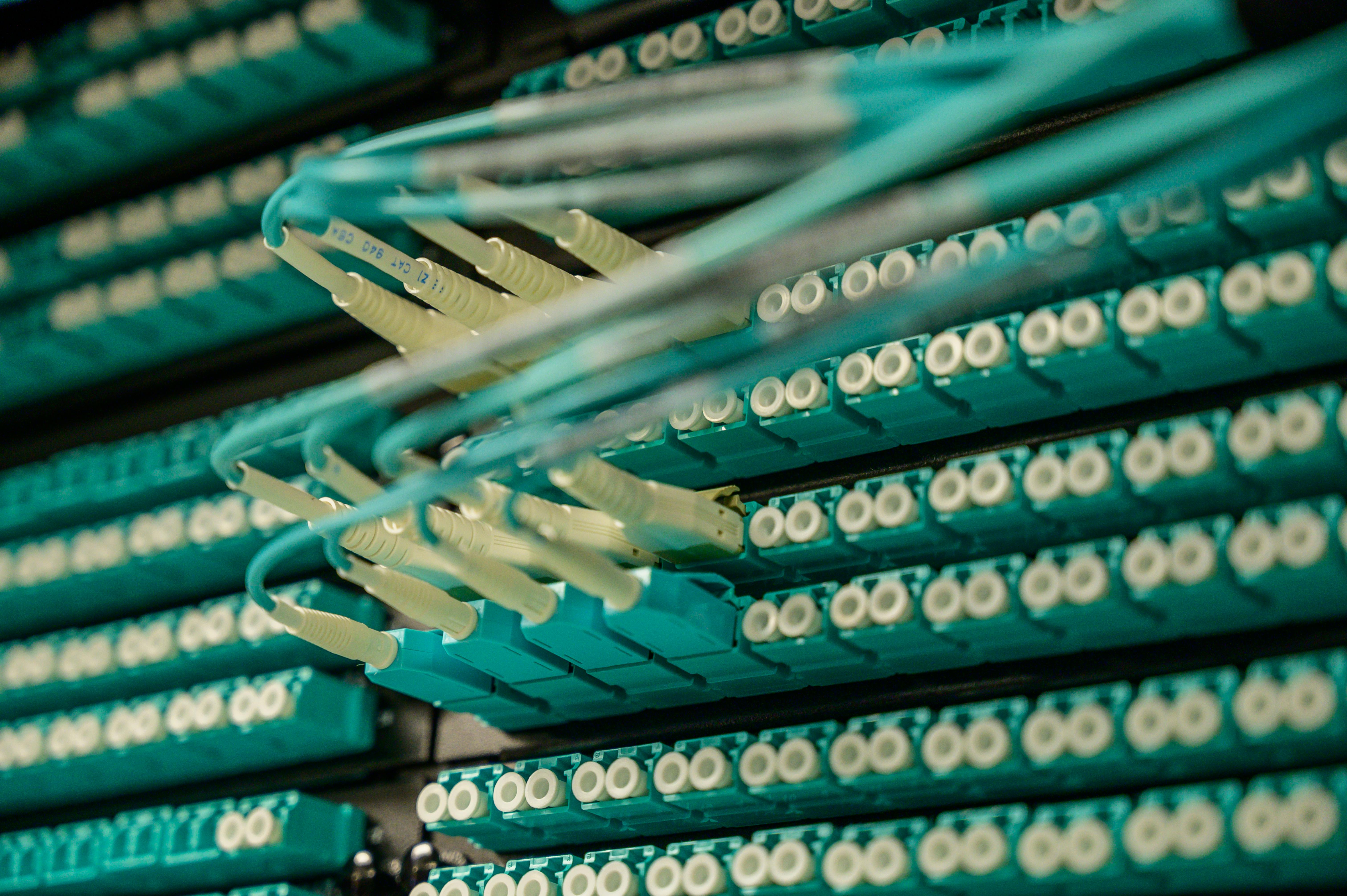
Fiber optic cables connected to network equipment in a server rack
A closer look at dedicated access

Dedicated Internet Connectivity for Demanding Business Needs

Organizations that depend on digital operations need connectivity designed around their performance, availability, and network requirements. Explore dedicated internet connectivity and understand how dedicated bandwidth, network planning, and professional infrastructure can support business-critical applications.

Capacity / architecture / continuity
The service model

What is dedicated internet?

Dedicated internet access generally describes an internet service with a defined allocation of access capacity for a customer, rather than an access arrangement in which the same capacity is contended for by multiple customers. “Dedicated bandwidth” is about the capacity specified for the connection under the applicable service design and agreement. It does not mean every router and destination across the global internet is reserved for one organization.

An office with sustained cloud traffic, frequent large uploads, many concurrent calls or important remote-access workloads may value a clearly specified capacity commitment. An enterprise may also need to understand the handoff, addressing, routing responsibilities, fault reporting and contractual service terms. These considerations can make dedicated access worth assessing even when a shared broadband service performs well for less demanding work.

Dedicated connectivity is one part of enterprise networking. The organization still needs a suitable local network, capable equipment, secure access and a plan for interruptions. Technical characteristics—including the access medium, bandwidth directions, addressing, support scope and availability—depend on the provider’s network design and the particular service agreement. Nothing on this page establishes that a given characteristic is included in a ZTN offering.

Specify the workloadDocument critical applications, concurrent users, uploads and busy periods.
Verify the agreementAssess feasibility and written technical and commercial terms for the location.
A conceptual network journey

How dedicated internet works.

This provider-neutral diagram simplifies the path from a workplace to an online service. Actual networks may contain more devices, intermediate networks and different physical routes; it is not a diagram of ZTN’s topology.

Business networkEmployees, servers and internal applications generate traffic.
Customer equipmentA router or other CPE connects the LAN to the service handoff.
Access networkThe connection carries traffic from the premises toward the provider.
Provider networkNetwork equipment and routing direct traffic onward.
Internet backboneInterconnected networks exchange traffic toward destinations.
Online servicesCloud platforms and destination networks answer requests.

Inside the premises

The business network includes wired and wireless devices, switches, firewalls and applications. Customer premises equipment (CPE) provides a technical handoff between that environment and the external service. Its throughput, configuration and power supply can affect performance. Which equipment is supplied or managed must be confirmed for a proposed connection.

Beyond the premises

An access connection carries packets to the provider network. Routers consult routing information to choose a next hop, and interconnected upstream networks transport traffic toward a destination network or cloud platform. Return traffic follows network routing decisions and need not traverse an identical physical path. The destination’s capacity and health remain relevant.

The simplified “provider network” stage includes routing infrastructure. A dedicated access commitment applies to the defined service scope, not automatically to every upstream provider, backbone segment or remote application.

Understand the allocation

Dedicated internet vs shared internet.

Shared broadband can be an effective business choice. Dedicated access can be useful where a specified capacity arrangement and accompanying terms matter. Neither label alone predicts every aspect of end-to-end experience.

Consideration Dedicated access model Shared broadband model
Bandwidth allocation A specified allocation or commitment applies within the defined service scope. Some provisioned access resources are shared or contended among customers.
Resource sharing Dedicated access capacity does not reserve the entire internet path. The degree and location of sharing depend on network architecture.
Performance consistency A defined access allocation may aid planning; downstream conditions still matter. Experience may vary with contention, provisioned capacity and demand.
Traffic demand Worth assessing for sustained or predictable high-concurrency workloads. May suit variable or moderate activity, subject to the actual service.
Business suitability Potential fit when applications and operational requirements justify it. Can serve many organizations well; suitability is workload-specific.
Upload and download Check the contracted capacity in each direction; symmetry is not automatic. Upload and download allocations vary by technology and plan.
Network planning Document CPE, handoff, routing, addressing and future change needs. Still requires appropriate local networking and capacity assessment.
Service levels Evaluate any applicable written SLA and its exact measurement scope. Review the selected provider’s actual terms rather than assuming none exist.
Cost considerations Assess installation, equipment, recurring terms and operational value. Compare total terms and fit, not only an advertised monthly figure.
Scalability Changes depend on access infrastructure and the provider agreement. Changes also depend on address-specific availability and plan options.

A dedicated bandwidth commitment concerns the specified access arrangement. It cannot eliminate congestion in the customer LAN, upstream networks or a destination service. Shared broadband is not inherently unreliable: design, provisioning and local conditions differ considerably. Compare the written scope of each option.

Potential operational value

Why organizations consider dedicated connectivity.

These are possible benefits of an appropriately designed service, not guaranteed outcomes or claims about the specifications of every ZTN connection.

Dedicated bandwidth

A defined allocation can provide a clearer starting point for network capacity planning. Teams can compare provisioned capacity with observed peak demand and leave room for concurrent tasks. Confirm precisely where the commitment begins and ends.

Predictable performance

Consistent access capacity may help when applications run throughout the working day. This does not promise constant application speed: local devices, routing, internet conditions and remote platforms all remain part of the experience.

Business communication

Voice, video and collaboration tools depend on timely delivery in both directions. Capacity assessment should include the number of concurrent meetings, while network design should address jitter, packet loss and busy local Wi-Fi.

Cloud application access

SaaS platforms can generate frequent small exchanges, large downloads or sustained synchronization. Map which systems are operationally critical and where their users and servers are located before interpreting a bandwidth figure.

Large data transfers

Creative files, backups, replication and synchronization can occupy substantial upstream capacity. Scheduling, transfer tools and the receiving service influence completion times as much as the access connection does.

Enterprise networking

Dedicated internet can be considered alongside firewalls, WAN design, remote access and branch connectivity. The access link is not itself an inter-office network or a managed security solution; those require separate design decisions.

Continuity planning

An access connection may be one component of a broader continuity strategy. A separate backup route, compatible failover equipment, power protection and tested operating procedures may be needed to limit the effect of interruption.

Network scalability

Measuring usage over time helps anticipate new teams, sites and applications. An upgrade is subject to technical feasibility and agreement terms, so future capacity should be discussed rather than presumed available.

Both directions count

Symmetric bandwidth: upload and download.

A symmetric connection specifies equal upstream and downstream bandwidth. An asymmetric connection specifies different capacities in the two directions. Neither arrangement can be inferred from the word “dedicated”; check the particular technical specification.

Symmetric model

Download
Upload

Equal-length bars represent equal provisioned capacities, not a ZTN speed or measured result.

Asymmetric model

Download
Upload

The shorter upstream bar illustrates a different allocation, without implying a universal ratio.

Why upstream capacity matters

Video calls send a live camera feed; remote staff may retrieve office-hosted resources; cloud backups and shared folders send data away from the premises. A team that uploads design files or production media may place far more pressure on its upstream path than a browsing-focused office. Count concurrent activities rather than treating all staff as identical users.

Fit the model to the workload

Hosting applications, synchronizing large datasets or supporting several remote desktops can create sustained two-way demand. Conversely, an organization whose activity is mostly receiving content may have different requirements. Application behavior, backup windows, router capacity and remote endpoints should inform the decision. Confirm whether any proposed ZTN service offers symmetry; it is not assumed here.

Read the written commitment

Understanding service level agreements.

A Service Level Agreement (SLA) is a contractual document defining how particular aspects of a service are measured and addressed. Its provisions vary by provider and service. The elements below are questions to examine, not ZTN commitments.

01 / Scope and measurement

Availability and performance

Determine what “available” means, which part of the service is measured and the period used for assessment. Ask whether any performance commitments concern the access circuit, an on-net path or another defined endpoint. An availability target is not the same as a guarantee that every website or cloud application will work.

02 / Incident handling

Reporting and response

Review how a fault is reported, what diagnostic evidence is required and when an incident clock begins. A response-time commitment addresses an initial action; a restoration target addresses a different event. Check definitions, priorities, customer obligations and the process for updates.

03 / Remedies

Service credits

Some agreements describe credits for qualifying failures. Eligibility, calculation, claim deadlines and limits must be read in the actual contract. A credit is not necessarily compensation for a business’s consequential loss, and the presence of an SLA should not be interpreted as prevention of all interruptions.

04 / Boundaries

Exclusions and maintenance

Scheduled maintenance, customer equipment, power, force-majeure events or third-party destinations may be treated differently under an agreement. Ask which elements are controlled by the provider and how planned work is communicated. Avoid comparing headline targets without comparing their exclusions and measurement rules.

Illustrative SLA checklist: defined service boundary → measurement method and period → fault-reporting process → response and restoration definitions → exclusions → any applicable remedy. No figures or ZTN policy are implied.
Measure the whole path

What shapes network performance?

Provisioned capacity is only one input. Diagnosis should distinguish the local network, the access link, interconnected networks and the destination service.

CapacityBandwidth defines an access transmission ceiling.
Local equipmentRouter, switches, Wi-Fi and devices can constrain a flow.
Network pathRouting, load and loss influence packet delivery.
ApplicationRemote systems and software affect the outcome.

Bandwidth and throughput

Bandwidth is the capacity available to carry data over time within a specified scope. Throughput is the useful transfer rate actually achieved for a particular task. Protocol overhead, device limits, competing transfers and the remote endpoint can make throughput lower than a provisioned capacity figure.

Latency

Latency commonly refers to round-trip response time between endpoints. Long distances, routing choices, queueing and application processing add delay. Interactive tools, remote desktops and conversations can feel sluggish even if their total bandwidth consumption is small.

Jitter and packet loss

Jitter is variation in packet delay. Packet loss means expected packets fail to arrive. Either can disrupt real-time audio or video; applications handling files may retransmit and take longer instead. Examine whether a problem appears on wired devices, Wi-Fi, one platform or several destinations.

Routing and congestion

Routers choose paths toward network destinations, and those paths can change. Congestion may occur in the office, access environment, upstream networks or at the destination. A dedicated access arrangement cannot remove every possible source of contention beyond its defined service boundary.

Network availability

An availability measure describes a defined service element over a defined period. An application can still be unavailable because of local power, equipment, DNS, a remote platform or another network. End-to-end experience therefore requires broader monitoring than one service-status indicator.

Useful measurement practice

Record the time, device, connection type, destination and application affected. Compare wired and wireless tests and repeat them during relevant peak periods. Correlating observations with equipment and provider diagnostics is more informative than a single speed test without context.

Blue network cables connected to communications equipmentAddressing is a design decision
Addressing and access

Static IP addresses and dedicated internet.

A static IP address is assigned so that it remains stable under the applicable arrangement; a dynamic address may change. A public IP is routable on the public internet, while a private IP is used inside a local network and generally reaches the internet through translation or another routing arrangement. “Static” and “public” describe different properties, and neither guarantees that an application is safely reachable.

A stable public address can simplify an approved firewall rule, IP allowlisting, some VPN designs or access to a business-hosted service. Remote access also requires secure authentication, carefully configured firewall rules and an understanding of which device terminates the connection. Publishing a service to the internet creates a security responsibility, not just an addressing requirement.

Ask whether the application actually needs a stable address, how IPv4 or IPv6 is allocated, whether address translation applies and who manages DNS or routing. Static IP availability, allocation, eligibility and pricing depend on the provider and agreement. A dedicated connection does not automatically include one, and no ZTN addressing arrangement is asserted here.

How networks find each other

Routing, BGP and IP networking.

Understanding a few routing concepts makes technical service discussions more useful without requiring every organization to operate its own routing infrastructure.

Routers and routing tables

Internet Protocol (IP) gives packets source and destination addresses. A router checks a routing table to decide where a packet should travel next. Multiple hops may be involved between an office and a cloud service. A routing decision identifies a next hop, not necessarily the complete end-to-end physical route.

Autonomous Systems and BGP

An Autonomous System (AS) is a network or group of networks under a common routing policy. Border Gateway Protocol (BGP) is used to exchange reachability information between autonomous systems. Larger organizations may discuss BGP in the context of their own address space or multi-provider design, but most businesses do not need to operate BGP themselves.

Transit and peering

Upstream transit provides routes to destinations beyond a network’s direct connections. Peering is an arrangement in which networks exchange traffic according to agreed terms. Neither term establishes that a particular provider has a direct connection to every destination. Route selection can reflect policy, reachability and network conditions rather than simply the shortest geographic line.

IPv4 and IPv6

IPv4 and IPv6 are addressing protocols with different address formats and capabilities. A business should check which versions its devices, applications and proposed service support. Public addressing, private internal addressing, firewall policy and any translation requirements should be designed together. Specific BGP, ASN, transit or peering arrangements for ZTN are not claimed.

Questions for a technical discussion: What handoff is proposed? Who manages the router? What addressing is available? Are any customer-originated routes supported? What assumptions apply to upstream connectivity? Answers depend on the actual service design and written agreement.
Requirements differ by organization

Dedicated internet by industry.

These examples illustrate potential connectivity needs. They are not customer stories, statements of ZTN industry coverage or evidence that a dedicated service is necessary in every case.

Software development companies

Repositories, remote build systems and test environments mix frequent small requests with large artifacts. Assess upload peaks and access to critical development platforms.

Data-intensive businesses

Large datasets and synchronization jobs can sustain transfers for long periods. Examine transfer windows, upstream requirements and the receiving system’s limits.

Financial and professional services

Hosted records, client meetings and time-sensitive workflows may need careful continuity planning. Privacy and access controls remain separate security duties.

Corporate offices

Many simultaneous teams can combine calls, cloud applications and updates. Map peak concurrency and the effect of an outage across departments.

Digital marketing agencies

Media uploads and campaign publishing may create bursts not apparent from routine browsing. Consider shared drives, review platforms and deadline-driven activity.

Cloud-based organizations

When core systems sit off-site, access quality affects everyday work. Identify dependencies on identity services, SaaS providers and remote platforms.

Media and content production

Large source files, previews and distributed editing can stress upload paths. Review file sizes, deadlines and whether specialist transfer workflows are needed.

E-commerce businesses

Order administration, stock systems and customer service may run concurrently. Plan for the network dependencies of each system, not only the storefront.

Educational institutions

Learning platforms and live sessions may peak at predictable times. Classroom Wi-Fi, device density and access controls require local-network planning.

Multi-branch enterprises

Each branch has its own address-specific options. Consider secure access to central applications and independent continuity needs at important sites.

IT and managed service providers

Remote administration, monitoring and software distribution can place distinct demands on addressing, security and upstream connectivity.

Research and technical organizations

Instrument data and collaborative computing may create unusual transfer patterns. Assess data volume, timing, destination and recovery needs.

Follow the workload

Applications that may benefit from planned capacity.

The suitability of dedicated access depends on actual traffic and operational requirements. Application availability also depends on software, hosting, local equipment and security design.

Cloud computing and SaaS

Hosted platforms often combine frequent small transactions with document transfers. Identify essential services, expected concurrent users and how teams work if a platform or the connection is unavailable. A stable access plan cannot control a cloud provider’s own outages.

ERP and CRM

Operational and customer systems may exchange records throughout the day. Some transactions are latency-sensitive; attachments and reports can be bandwidth-heavy. Evaluate the application architecture and the timing of routine batch jobs.

Video conferencing and VoIP

Live media uses upstream and downstream capacity simultaneously. Jitter, loss and crowded local Wi-Fi can matter more than a headline speed. Count simultaneous calls and assess how voice and video compete with file transfers.

Remote desktop and VPN

Interactive remote sessions respond to delay and packet loss. VPN encryption and firewall equipment can add processing limits. Ensure remote access is appropriately authenticated and consider how many sessions will run at once.

Backups, synchronization and replication

These tasks can consume substantial upload capacity for extended periods. Schedule jobs around interactive work where possible and verify that recovery objectives, storage endpoints and security practices support the overall plan.

Commerce, websites and branch systems

Order tools, business websites, online platforms and centralized branch applications depend on more than the office link. Hosting, payment integrations, secure inter-site access and destination availability all need their own assessment.

Design for interruption

Redundancy and network resilience.

A primary dedicated connection can be paired, where feasible, with a secondary internet connection using another suitable access technology. A dual-WAN router may detect a failure and redirect traffic. Router redundancy can reduce dependence on one device, while power backup may keep the network running during a local power event. None of these elements should be assumed to be included with an internet service.

True route diversity requires investigating physical infrastructure. Two connections that share a building entry, duct or upstream route may fail together even if they have different commercial labels. Automatic failover also needs configuration and testing: active sessions may disconnect, DNS or public addresses may change, and some applications require special handling.

Monitoring should distinguish a circuit fault from equipment, power or application failure. Define which activities must continue, who investigates an incident and how staff work during an outage. Ask about feasibility and responsibilities for each component before treating a proposed architecture as resilient.

Engineer using a laptop while monitoring equipment in a server roomPlan the complete path ↗
Access is not a security policy

Network security considerations.

Dedicated internet access does not automatically make a business network secure. Security depends on equipment, configuration, organizational processes and appropriate specialist controls.

  • Enterprise firewallsDefine which incoming and outgoing traffic is permitted. Review exposed services and document who owns rule changes.
  • Secure router configurationRestrict management interfaces, replace default credentials and back up approved configurations.
  • VPN connectivityProtect remote or inter-site communication using suitable encryption and authentication; evaluate endpoint security too.
  • Access controlGrant network and application permissions according to role and remove access when users or devices change.
  • Network segmentationSeparate sensitive systems, employee equipment and guest traffic where appropriate for the environment.
  • IP allowlistingUse address-based rules as one control where useful, not as a replacement for authentication or monitoring.
  • MonitoringReview relevant logs and traffic patterns to detect faults and unusual activity, with suitable privacy practices.
  • Remote administrationLimit administrative access to approved personnel and secure management channels.
  • Firmware updatesMaintain routers, switches, firewalls and access points through a controlled update process.
  • DDoS planningUnderstand the effect of attack traffic and ask separately whether any mitigation service is available and under what terms.
  • Incident responseDocument escalation, backups, communication responsibilities and recovery actions before an event occurs.
  • Scope confirmationAsk what, if any, security equipment or service is included in a proposal; none is implied here.
Colorful fiber optic cables connected to communications equipmentService model ≠ access medium
Two different descriptions

Dedicated internet vs fiber internet.

“Dedicated internet” describes a service or bandwidth allocation arrangement. “Fiber internet” describes the use of fiber-optic infrastructure as an access technology. A dedicated service may use fiber, but a fiber connection is not automatically dedicated. The physical medium and the commercial service model should be assessed separately.

For either option, ask about bandwidth allocation, upload and download symmetry, routing, handoff, installation requirements and the service agreement. Fiber deployment may involve available routes, building entry and optical equipment. A dedicated service using another feasible access design can have different installation needs. Performance depends on the complete architecture, not just the material carrying the signal.

Compare business suitability against traffic patterns and location-specific feasibility. A shared fiber service may be appropriate for some offices; another organization may require a defined dedicated capacity arrangement. The written specification, rather than either label alone, explains what is proposed.

Explore Fiber Internet
A practical assessment

Determine your bandwidth requirements.

Employee count provides context, but the busiest simultaneous workload is more useful than headcount alone. Measure both traffic directions and understand which applications are sensitive to delay.

  • 1. Employee countRecord staff who depend on access, including part-time and visiting users.
  • 2. Active usersEstimate how many people actually work online during a normal busy period.
  • 3. Connected devicesCount computers, phones, terminals, network equipment and other active devices.
  • 4. Cloud applicationsIdentify critical platforms, transfer behavior and the impact of losing access.
  • 5. Video meetingsCount concurrent calls, screen shares and their upstream requirements.
  • 6. Upload workflowsReview media publishing, file delivery and other large outbound transfers.
  • 7. Backup schedulesConsider data volume, timing and competition with live business activity.
  • 8. Remote accessAccount for VPN, remote desktop and office-hosted systems serving off-site users.
  • 9. Peak trafficObserve business-hour bursts rather than relying only on daily averages.
  • 10. Future growthAllow for new users, devices, sites and applications without assuming an automatic upgrade.

Illustrative planning scenarios

Small organization

A compact team may have few employees but several essential cloud tools, simultaneous calls and scheduled backups. Assess whether critical activities overlap and whether a local equipment or Wi-Fi limitation explains present difficulties before choosing a service model.

Medium organization

Departments may upload deliverables, work in SaaS systems and hold meetings at the same time. Examine measured busy-hour usage, upstream demand, internal switching and whether a backup path is operationally justified.

Large organization

Many teams, centralized systems and multiple sites make architecture and continuity important. Document site-by-site traffic, application dependencies, routing requirements and responsibility for network management before comparing proposals.

What to take to a provider

Share the exact location, observed peak traffic where available, critical applications, upload-heavy tasks and expected changes. Ask for address-specific feasibility and written specifications. These scenarios do not recommend ZTN packages or invented speed tiers.

General illustrative process

Installation and activation: an illustrative sequence.

This is a general educational example, not a guaranteed ZTN workflow, timeline, installation commitment or confirmation that service is available at a location.

01

Requirement discussion

Describe the organization’s applications, location, users, network environment and continuity priorities.

02

Technical assessment

Review the premises, possible access options, equipment handoff and relevant routing or addressing requirements.

03

Feasibility review

Assess available infrastructure, building access and whether a proposed installation is technically possible.

04

Proposal and agreement

Discuss specifications, commercial terms, responsibilities and any applicable written service commitments.

05

Installation planning

Plan the access connection, premises equipment, access permissions and coordination needed at the site.

06

Configuration and testing

Configure relevant equipment and test agreed network parameters and connectivity at the handoff.

07

Service handover

Complete the agreed activation and handover process, including applicable operational information.

Actual stages, sequencing, equipment responsibilities and timing depend on premises conditions and the proposed service. An inquiry is not a completed order or confirmation of installability.
The physical path matters

Infrastructure and coverage.

Dedicated internet availability depends on physical and commercial feasibility at the specific premises. Fiber-optic routes, access-network reach, building entry, last-mile connectivity and the position of network equipment all influence what can be proposed. A nearby cable does not establish that an individual floor or unit can be connected.

Installation may require a viable route, permission to enter a property, suitable equipment space, power and a technical site assessment. Different locations in the same organization can have different options. Provide the exact address and known building constraints when seeking an assessment; no unverified ZTN coverage areas are listed here.

Begin with requirements

Why consider ZTN for dedicated connectivity?

A useful conversation starts with your operational needs, location and technical environment—not an assumed package or an unsupported guarantee.

Learn About ZTN

Why Choose ZTN

01

Clarify complex needs

Describe the applications, people and critical hours that make connectivity important to your organization.

02

Assess technical requirements

Discuss bandwidth directions, network handoff, addressing questions and equipment responsibilities.

03

Consider infrastructure

Address-specific feasibility and the route into a building are central to any practical proposal.

04

Plan for change

Explain anticipated growth, additional sites and future application needs while verifying present options.

05

Seek clear terms

Request written technical and commercial details before relying on any particular service characteristic.

Make a fault easier to isolate

Technical support for connectivity.

Useful troubleshooting starts with observations: when a fault began, whether it affects one or several applications, which sites and devices are involved, and whether a wired test differs from Wi-Fi. Record any recent equipment, configuration or power changes. These details can help distinguish a local network problem from an access, routing or remote-service issue.

Equipment checks, fault reporting, performance diagnostics and maintenance each have different responsibilities. Keep relevant technical information and an internal escalation path available. Confirm the support scope and any response commitments in the actual service agreement; no ZTN operating hours, contact method or restoration target is assumed here.

Visit Technical Support
Dedicated internet FAQs

Answers to common questions.

These answers explain general concepts. Confirm availability, technical characteristics and commercial terms for a specific proposed service.

Explore all FAQs
What is dedicated internet?

Dedicated internet access generally means a service with a specified allocation of access capacity for a customer. The precise scope of that allocation, the access technology and any accompanying terms depend on the provider agreement. It does not reserve every network between the business and all internet destinations.

How does dedicated internet work?

Traffic moves from business devices through local equipment to an access connection, then through provider routing and interconnected networks toward a destination. Return traffic is routed back toward the business. The access design may define dedicated capacity, while the local network and remote systems remain separate parts of the path.

What is dedicated bandwidth?

It is a defined capacity allocation or commitment within the specified scope of a service. Read the agreement to understand the capacity in each direction, where it is measured and what equipment or network conditions affect it. The term is not a promise of identical speed to every website.

How is dedicated internet different from shared broadband?

Shared broadband uses some network resources that are contended among customers, whereas dedicated access specifies a more particular allocation. Actual performance in either model depends on network engineering, traffic and the destination. Shared service can be suitable for businesses; compare the written specifications rather than relying on labels.

Is dedicated internet suitable for small businesses?

It can be worth considering if a small team depends heavily on critical cloud systems, large uploads or a particular technical arrangement. Size alone does not decide suitability. Compare peak usage, interruption impact, address-specific options and total commercial terms before selecting a service.

What is symmetric bandwidth?

Symmetric bandwidth means the specified upload and download capacities are equal. Asymmetric bandwidth assigns different capacities to the two directions. Neither design is inherent in every dedicated connection; confirm the proposed service’s actual technical characteristics.

Why is upload speed important?

Sending video during calls, uploading deliverables, backing up data and serving remote users all use upstream capacity. Several simultaneous activities can compete. Estimate the sizes and timing of outbound transfers instead of choosing by download capacity alone.

Does dedicated internet guarantee constant speed?

No service label can guarantee the same throughput to every destination at every moment. A specified access allocation may help capacity planning, but local equipment, routing, upstream congestion, protocols and destination services still influence measured transfers. Check exactly what any agreement commits to.

What is a Service Level Agreement?

An SLA is a contractual document setting out defined service measurements and procedures. It may address availability, fault reporting, response definitions, exclusions and remedies. The exact terms—not the existence of the label “SLA”—determine what obligations apply.

Does dedicated internet always include an SLA?

Do not assume so. Contractual terms vary by provider and service. Request the written agreement and examine its service boundary, measurement rules, maintenance provisions and fault procedures before treating any commitment as applicable.

What is a static IP address?

A static IP address remains assigned under the relevant addressing arrangement rather than changing dynamically. It can be useful for some firewall, allowlisting or remote-access designs. A stable address alone does not provide secure authentication or make a hosted application safe.

Does dedicated internet include static IP addresses?

Not automatically. Availability, address allocation and any associated charges depend on the provider’s design and the service agreement. State the application requirement and confirm whether a suitable public or private addressing option is available.

What is the difference between a public and private IP address?

A public address is routable across the public internet. A private address is used within an internal network and ordinarily requires translation or other routing to communicate externally. Either type may be assigned under a stable or changing arrangement; public and static are not synonyms.

What is BGP?

Border Gateway Protocol is used by autonomous systems to exchange information about which IP address ranges they can reach. It helps interconnected networks route traffic across the internet. Whether a customer needs BGP depends on its addressing and network architecture; no ZTN BGP arrangement is implied.

What is internet peering?

Peering is an arrangement for networks to exchange traffic with one another under agreed terms. It is different from buying transit to reach a wider set of destinations. A provider’s specific peering relationships should not be inferred without verified information.

What is network latency?

Latency is the time associated with a network exchange, often measured as a round trip between endpoints. Distance, routing, queueing, equipment and application processing can all add delay. Interactive services may be affected even when they use relatively little bandwidth.

What is jitter?

Jitter is variation in packet delay. Real-time applications prefer packets to arrive at a reasonably regular pace; uneven arrival can cause choppy audio or interrupted video. It is different from both average latency and total bandwidth.

What causes packet loss?

Congestion, wireless interference, equipment problems, configuration issues or faults along a path can cause packets to be dropped. File transfers may retransmit missing data; live calls may briefly break up. Comparing wired and wireless devices and multiple destinations can help narrow the cause.

Can dedicated internet support VPN connections?

A suitable connection can carry VPN traffic, but VPN operation depends on addressing, firewall rules, compatible equipment and secure configuration. Encryption may also add processing overhead. Confirm whether any particular VPN or management function is within the proposed service scope.

Is fiber required for dedicated internet?

Fiber is a common access technology to investigate, but “dedicated” refers to a service arrangement rather than a particular medium. The feasible medium depends on location, infrastructure and provider design. Ask what technology a specific proposal uses.

What is the difference between fiber internet and dedicated internet?

Fiber describes the physical access technology; dedicated describes how service capacity is allocated. A fiber connection can use a shared service model, while a dedicated service may use suitable access infrastructure. Explore Fiber Internet for the technology perspective.

Can dedicated internet support multiple office locations?

Each office may be assessed for its own internet access, subject to address-specific feasibility. Connecting branches securely to each other or to central systems requires additional network design. Multiple internet connections alone do not create a managed inter-site network.

What is network redundancy?

Redundancy provides an alternative component or path so a single failure need not stop all access. It may involve another connection, router or power source. Its value depends on independence and configuration; two services sharing the same physical route may fail together.

Can a business use two internet connections?

Yes, where suitable services are available. A dual-WAN design may select a backup connection after a failure, but application sessions, IP addressing and path diversity need attention. Confirm equipment compatibility and test failover before depending on it.

How do I estimate the bandwidth my business needs?

Review busy-hour concurrent users, active devices, calls, cloud applications, uploads, backups and future growth. Measure current usage where possible and assess both directions separately. Headcount is a starting point, not a substitute for understanding application behavior.

How is dedicated internet installed?

A general process may involve requirement discussion, a technical and feasibility review, a proposal, installation planning, configuration, testing and handover. Actual steps depend on the provider and site. This illustrative sequence is not a guaranteed ZTN workflow or confirmation of availability.

Does dedicated internet improve cybersecurity automatically?

No. Dedicated capacity does not replace a firewall, secure router settings, authentication, patching, segmentation or incident planning. Any specialist protection, including DDoS mitigation, must be evaluated separately under its actual terms.

How can I check dedicated internet availability?

Begin with Coverage Areas and provide the exact premises address, unit or floor and known building constraints. Feasibility depends on access infrastructure, permissions and technical assessment; nearby network equipment is not proof of installability.

What information should I provide when requesting a dedicated connection?

Share the address, number of sites, critical applications, peak users, upload and download requirements, current difficulties, internal network arrangement and any addressing or continuity needs. Ask for written confirmation of feasibility, service scope, responsibilities and applicable terms.

How can I contact ZTN about dedicated internet?

Use Contact Us to describe your location and requirements. The discussion can explore potentially suitable options; an inquiry does not itself establish that a dedicated service, static IP, particular SLA or installation is available.
Start with your network requirements

Ready to Explore Dedicated Internet Connectivity?

Every organization has different network requirements. Discuss your bandwidth needs, location, technical environment, and connectivity goals with ZTN to explore suitable options.